

Accessibility officers, higher education and government leaders, content creators, media teams, and anyone responsible for an organization’s video content.
Key Takeaways
Audio description makes video accessible by adding spoken narration of meaningful visual information during natural pauses in dialogue. With ADA Title II and Section 504 web accessibility deadlines arriving in 2027, and FCC requirements for TV expanding every year, it has quickly become a priority for colleges, government agencies, broadcasters, and businesses.
AT A GLANCE
- Turns on-screen actions, text, settings, and graphics into descriptive narration for people who are blind or low vision.
- WCAG 2.1 Level AA - the standard behind the ADA Title II and HHS Section 504 rules - requires audio description for prerecorded video.
- How human describers and AI-powered software can work together to describe entire video libraries, not just a handful of videos.
WHO SHOULD READ THIS
Estimated Reading Time
6 min read
Close your eyes and press play on almost any video. You’ll hear the voices and the music, but you’ll miss a lot: the chart the presenter is pointing to, the name on the lower-third graphic, and the look that passes between two characters right before everything changes.
For people who are blind or have low vision, that’s the everyday experience of video. And with video now at the center of how we learn, work, shop, and stay informed, it adds up to a lot of missed information.
Audio description fixes that. In this beginner’s guide, you’ll learn what it is, why it matters, what’s new for 2026-2027, and how to start making your own videos accessible – without overhauling your entire workflow.
What Is Audio Description?
Audio description is spoken narration that tells viewers what’s happening on screen. It fits into natural pauses in dialogue, so viewers get the visual story without losing any of the original audio content.
A good description track typically covers visual elements like:
- On-screen text, titles, and speaker names
- Actions, gestures, and facial expressions
- Scene changes, settings, and who is present
- Charts, diagrams, slides, and demonstrations
You may also hear it called video description or descriptive narration. Whatever the name, the goal is the same: give people who are blind or have low vision equal access to everything sighted viewers take in from the screen.

Audio Description vs. Visual Description, Alt Text, and Captions
If you’ve written alt text for images, you already understand the basic idea. Audio description is often compared to alternative text for videos. Alt text gives a short written description of a static image that screen reader technology reads aloud. Audio description does the same job for moving images – except it’s time-based. Each visual description is written and placed so it plays at exactly the right moment, between lines of dialogue and around important sound effects.
It’s also easy to mix up captions and description, but they solve opposite problems. Captions make the audio accessible to people who are Deaf or hard of hearing. Description makes the visuals accessible to people who are blind or low vision. Truly accessible video usually needs both.

Who Benefits from Video with Audio Description?
The audience is bigger than many organizations expect. According to the World Health Organization, at least 2.2 billion people worldwide have a near or distance vision impairment. In the US alone, the American Foundation for the Blind reports that 49.5 million adults have some difficulty seeing, even with glasses or contacts, based on 2024 National Health Interview Survey data.
Description is designed first for people who are blind, low vision, or visually impaired, and it works hand in hand with other assistive technology. But a video with audio description can help a much wider audience, including:
- Some people with cognitive disabilities or learning disabilities, who benefit from hearing visual information reinforced
- Some autistic viewers, who may find descriptions of facial expressions and body language helpful for understanding social cues
- Language learners and international students, who can connect spoken words to what’s happening on screen
- Anyone listening rather than watching – commuters, multitaskers, or someone squinting at a phone in bright sunlight
What Viewers Miss Without Description
Picture a recorded lecture. The instructor says, “As you can see here, the curve flattens after this point,” and gestures at a graph. A student who is blind hears every word – and gets none of the data.
The same gap shows up everywhere:
- Training videos that demonstrate a process without explaining each step
- Marketing videos that rely on on-screen text to deliver the message
- Public service announcements that display a phone number or web address but never say it aloud
In each case, the soundtrack alone doesn’t tell the full story. Description fills in what’s missing, so every viewer leaves with the same information.
What’s New: Audio Description Requirements for 2026-2027
ADA Title II: New Deadlines in 2027 and 2028
In 2024, the Department of Justice adopted WCAG 2.1 Level AA as the standard for state and local government web content and mobile apps under ADA Title II. That covers public colleges and universities, public school systems, cities, counties, courts, and other public entities – and because WCAG 2.1 AA includes audio description for prerecorded video, it covers their video, too.
On April 20, 2026, DOJ issued an Interim Final Rule that gave public entities more time. The requirements themselves didn’t change:
- April 26, 2027: Public entities serving a population of 50,000 or more
- April 26, 2028: Public entities serving fewer than 50,000 people, and special district governments
Section 504: HHS Deadlines for Healthcare and Funding Recipients
The Department of Health and Human Services applies the same WCAG 2.1 Level AA standard to healthcare organizations and other recipients of HHS funding under Section 504 of the Rehabilitation Act. In May 2026, HHS also extended its deadlines – to May 11, 2027 for recipients with 15 or more employees and May 10, 2028 for smaller recipients.
The WCAG Rules Behind It All
The Web Content Accessibility Guidelines (WCAG) are the technical standard behind most US and international digital accessibility laws. Under WCAG 2.1:
- Success Criterion 1.2.3 (Level A) requires audio description or a full text alternative for prerecorded video.
- Success Criterion 1.2.5 (Level AA) requires audio description for prerecorded video.
- Success Criterion 1.2.7 (Level AAA) covers extended audio description, which pauses the video when natural gaps are too short.
FCC Rules Keep Expanding for TV
The Federal Communications Commission requires described programming on broadcast and pay TV, and its reach grows every year. As of January 1, 2026, ABC, CBS, FOX, and NBC affiliates in the top 120 Nielsen markets must air at least 50 hours of described programming per quarter during prime time or children’s programming, plus an additional 37.5 hours between 6 a.m. and midnight. The FCC has been adding 10 new markets each year.
Beyond the US
In Europe, the European Accessibility Act took effect June 28, 2025. It requires services that provide access to audiovisual media to support accessibility features such as audio description – a reminder that this is a global expectation, not just a US one.
The extra time from DOJ and HHS is an opportunity, not a reason to wait. Describing a large video library takes planning, and organizations that build description into their accessibility policy now will be in a far stronger position when the deadlines arrive. If you’re in higher education, our guide to audio description for colleges and universities covers how to plan for 2027 step by step.
How Audio Description Works
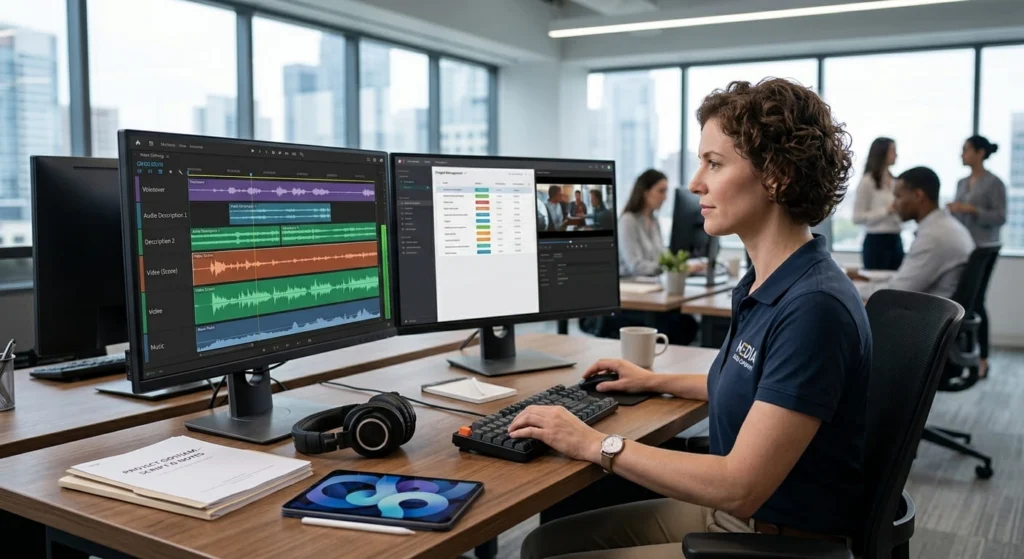
Whether a person or AI-powered software does the work, creating descriptions follows the same basic steps:
- Review the video. Identify what a viewer needs to see to follow the content.
- Write the script. Describe what’s on screen in clear, concise, and objective language – what’s happening, not how to feel about it.
- Time the descriptions. Place each one in a pause so it doesn’t cover dialogue, foreground audio, or key sound effects. Background music can usually play underneath.
- Voice the narration. Create an audio recording with a voice artist, or generate the audio narration with a synthetic voice.
- Mix and deliver. Combine the narration with the original audio and publish it in a format viewers can access.
Standard vs. Extended Audio Description
Standard audio description fits all narration into existing pauses. It works well for most entertainment and narrative content.
Extended audio description pauses the video so the narration can play, then picks up where it left off. It’s often the better choice for dense educational and training content – think of a lecture with nonstop speech and detailed slides – where there simply aren’t enough gaps in the dialogue to describe everything that matters.
How Described Video Is Delivered to Viewers
Once descriptions are ready, there are a few common ways to get them to your audience:
- A separate audio track. Viewers turn description on or off in the player, just like captions. This requires media player support for multiple audio tracks.
- A second, described version of the video. The narration is mixed into the main audio as a voice-over track and published as its own video. This is a common approach for platforms like YouTube.
- A timed text file. Descriptions are stored as text with timestamps (for example, in WebVTT format) and voiced by the player or a screen reader. Accessible players such as the open-source Able Player support this approach.
- Integrated description. The narration is built into the original production – the presenter describes what’s on screen as they go. It’s the most seamless option for new content, but it takes planning before you hit record.
Who Can Audio Describe Video? Exploring Human Audio Describers vs. AI
Let’s dive into the differences and needs for using human audio describers versus leading AI audio description tools to solve your needs.
Human Audio Description
Traditional description is created by a trained audio describer who scripts each description, often working with a voice artist who records them in post-production. Professional audio description is still the gold standard for:
- Film, television, and other narrative content
- Emotionally nuanced or artistic material
- High-visibility content like admissions videos, commencement broadcasts, and public addresses
The trade-off is time and cost. Human description can take days to weeks depending on complexity, which makes it hard to cover a large library of lectures, training videos, or archived content.
AI Audio Description
AI audio description uses computer vision and language models to analyze video frame by frame, identify the visual information that matters, write time-synced descriptions, and voice them with a computer-generated voice.
With AI audio description, organizations can:
- Describe large back catalogs of existing video at once
- Get much faster turnaround – often within a day or two
- Keep descriptions consistent across departments and teams
- Make description part of routine publishing instead of a one-off accommodation
Why Most Organizations Choose Both
You don’t have to pick one. Many organizations use AI audio description for volume – lecture capture libraries in platforms like Panopto and Kaltura, employee training, government meetings, and archived video – and save human description for flagship, high-stakes, or visually complex content. A quick way to decide: consider how visually complex the video is, what an imperfect description would cost you, and how much content you need to cover by when.
For a deeper side-by-side comparison and a practical decision framework, see AI vs. Human Audio Description: Which Do You Need?
Audio Description in Action: Movies and Descriptive Video for TV
Movies and TV are where most people first encounter description. On streaming platforms and many TVs, viewers can switch on a described audio track from the audio or accessibility menu.
Here’s an example from the American Council of the Blind’s Audio Description Project, describing the opening scene of Disney’s The Lion King:
“Hundreds of animals gather at the bottom of Pride Rock – a tall, flat ledge that towers over the rest of the savanna.”
This line plays over “The Circle of Life.” The song never explains what’s on screen, so without it, viewers who are blind or have low vision would miss the setting that frames the whole story. One sentence, and the scene opens up.
TV works the same way. Viewers turn description on or off through their device’s accessibility settings, and broadcasters covered by FCC rules must provide a minimum number of described hours every quarter. For studios and streaming teams, Verbit’s media production solutions bring description, captions, and dubbing into one workflow.
Getting Started: Your Audio Description Plan
Adding description doesn’t have to be complicated – and it rarely requires video editing on your end. Here’s a practical way to begin:
- Inventory your video content. Find out where your videos live and which ones are public-facing, required for courses or programs, or frequently viewed.
- Prioritize. Start with content that conveys essential information visually and content covered by ADA Title II, Section 504, or FCC requirements.
- Match the approach to the content. Use AI audio description for scale, human audio description for narrative or high-stakes content, and AI with expert review for everything in between.
- Check your players and platforms. Confirm your video platforms support a separate audio track, extended audio description, or a described version of each video.
- Build it into your workflow. Add description to your accessibility policy so new content is described as it’s published, not months later.
Verbit’s Accessible Video Solutions
Verbit offers both professional audio description and AI audio description, so you can match the approach to each piece of content – all on one platform.
- Professional audio description pairs trained describers and voice artists for content where nuance matters most.
- AI audio description analyzes video frame by frame, finds the right moments to add descriptions without covering essential audio, and delivers most content within 24-48 hours, with optional review by Verbit’s accessibility experts.
Descriptions can be delivered as a separate audio track or a timed text file, and the Verbit Smart Player supports extended audio description alongside captions. Verbit also integrates with the platforms where you already host and share video – including YouTube, Vimeo, Kaltura, Panopto, Brightcove, Zoom, Canvas, Blackboard, and Moodle – so described video can be requested and published without extra manual steps.
For colleges and universities preparing for ADA Title II, Campus Complete brings AI captions, transcripts, AI audio description, and translation together in one annual subscription. Government agencies can do the same with Civic Complete.
Beyond description, Verbit provides captioning, transcription, translation, and dubbing to help make every video accessible to every viewer. Contact Verbit to see how easily audio description can fit into your video workflow.
FAQs on Audio Description
What is audio description?
Audio description is spoken narration that describes what’s happening on screen – actions, on-screen text, settings, and facial expressions – during pauses in the dialogue. It makes video accessible to people who are blind or have low vision.
Is audio description required by law?
For many organizations, yes. WCAG 2.1 Level AA requires audio description for prerecorded video, and that standard applies to state and local governments under ADA Title II (with deadlines in April 2027 and April 2028) and to HHS funding recipients under Section 504 (May 2027 and May 2028). The FCC also requires audio description for certain broadcast and pay TV programming.
What is described video?
Described video is another name for video with audio description. You may also see the terms descriptive video and video description.
What’s the difference between standard and extended audio description?
Standard audio description fits narration into existing pauses. Extended audio description pauses the video to allow longer descriptions, which is especially useful for dense educational content.
Can AI create audio description?
Yes. AI audio description analyzes video, writes time-synced descriptions, and voices them with a synthetic voice. Many organizations pair AI with expert human review for content that needs extra precision.
Do I need both captions and audio description?
Usually, yes. Captions make the audio accessible to people who are Deaf or hard of hearing, while description makes the visuals accessible to people who are blind or low vision. WCAG 2.1 Level AA calls for both on prerecorded video.