

Corporate communications leaders, human resources professionals, and internal operations managers.
Key Takeaways
Modern corporate communication relies heavily on video messaging to connect with remote teams, clients, and stakeholders across the globe. Integrating captions and audio descriptions into your media makes your company’s messaging both accessible and more engaging to reach all employees, viewers, and customers.
AT A GLANCE
- Real-time captioning tools make virtual meetings and company-wide broadcasts accessible to all participants.
- Audio descriptions translate critical visual details into spoken narration for audience members who are blind or have vision loss.
- Comprehensive accessibility practices strengthen team collaboration and foster an inclusive workplace culture.
WHO SHOULD READ THIS
Estimated Reading Time
6 min read
Somewhere in your company right now, an employee is watching a required training video on mute – on a commuter train, in an open-plan office or next to a sleeping toddler. Without captions, that training never landed.
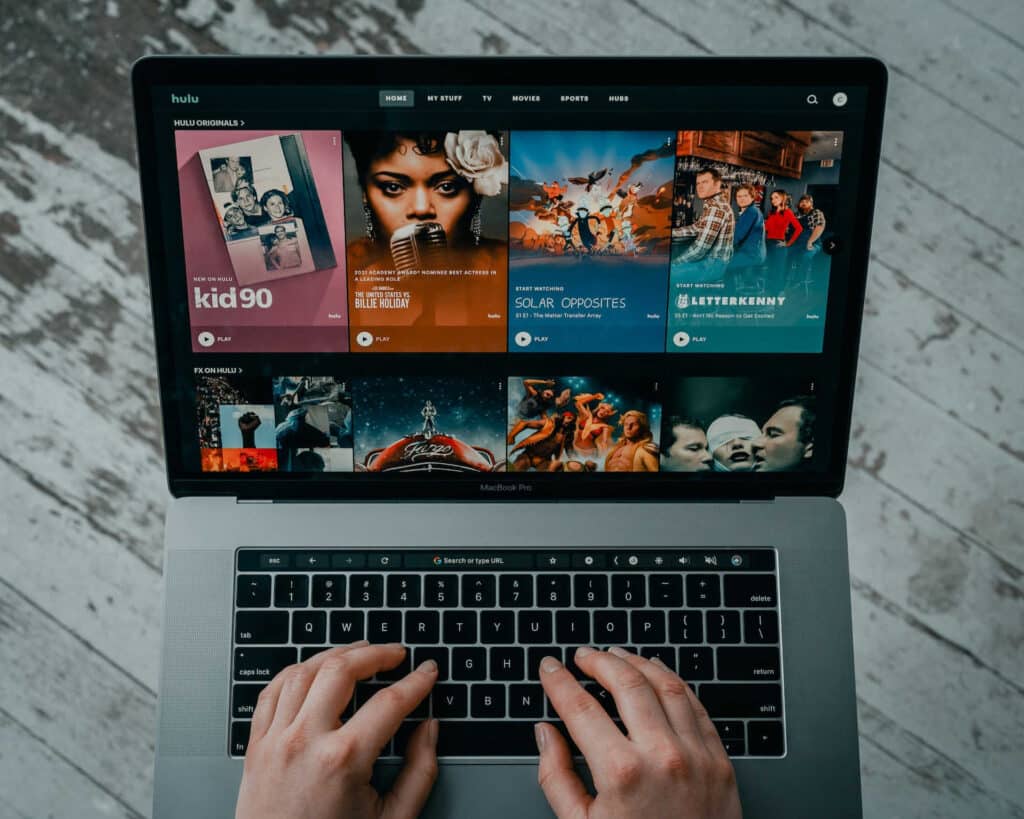
That’s the new normal for corporate video. Netflix says nearly half of US viewing hours now happen with subtitles or captions on, and one in three US adults always or often turn them on at home. Your employees, customers, and investors bring those habits to work – and they expect your all-hands, product demos and training modules to keep up.
The rules are catching up, too. The US Department of Justice has adopted WCAG 2.1 Level AA as the technical standard for public-sector digital content under the ADA, and the European Accessibility Act now applies to companies serving EU consumers. Corporate captions and audio description are no longer nice-to-have features. They’re core infrastructure for enterprise communication.
This guide breaks down what’s driving demand for enterprise captioning, what the 2026-2027 compliance landscape actually requires, and how Verbit helps organizations caption, describe, and translate video at scale.
The Business Case for Corporate Captions: Market Growth and Consumer Demand
The market is following the audience. The global captioning and subtitling solutions market reached USD 5.71 billion in 2023 and is projected to grow at more than 8% a year through 2032, driven by AI advances, stricter accessibility rules and the boom in multilingual streaming content.
Corporate captions have crossed the same line that consumer captions did: from accommodation to expectation. Viewers use captions to follow fast speakers and heavy accents, to watch in sound-sensitive spaces and to multitask. Those reasons don’t disappear when the video is a quarterly town hall or a compliance module. Younger audiences lean in hardest – AP-NORC found adults under 45 are especially likely to keep captions on – and they now make up a growing share of the workforce.
Language matters just as much. In a CSA Research survey of 8,709 consumers across 29 countries, 76% of online shoppers said they prefer to buy products with information in their native language. For global organizations, that makes multi-language captioning and subtitling a revenue lever, not just a localization task. (A quick distinction worth keeping: captions match the language spoken in the video, while subtitles typically translate it into another.)
Then there’s the accessibility population itself. According to the CDC, more than 70 million U.S. adults – over 1 in 4 – report having a disability. That’s a significant share of your employees, customers and partners. Enterprise captions and audio description are how you make sure every one of them gets the full message.
Accessibility in Corporate Communication: The 2026 Regulatory Mandate
For the first time, the DOJ has written a specific technical standard for digital content into the Americans with Disabilities Act: WCAG 2.1 Level AA. The rule applies directly to state and local governments under ADA Title II. In April 2026, an interim final rule extended the deadlines – entities serving 50,000 or more people now have until April 26, 2027, and smaller entities and special districts until April 26, 2028.
Why should a private company care about a public-sector rule? Because WCAG 2.1 AA is quickly becoming the benchmark everywhere:
- Selling to the public sector: Title II covers content that agencies and public universities provide through contractors and vendors. If your platform, training or video ends up in front of the public on their behalf, expect accessibility requirements in the RFP.
- Serving customers (ADA Title III): Businesses open to the public face growing digital accessibility litigation. UsableNet counted more than 2,000 lawsuits in the first half of 2025 alone, and plaintiffs routinely point to WCAG as the yardstick.
- Supporting employees (ADA Title I): Reasonable accommodations for Deaf, hard-of-hearing, blind and low-vision employees increasingly mean captioned meetings, accessible training and described video.
- Doing business in Europe: The European Accessibility Act has applied since June 28, 2025 to many digital products and services offered to EU consumers, including audiovisual media and e-commerce.
For video, WCAG 2.1 Level AA is specific. It’s built on four principles known as POUR – Perceivable, Operable, Understandable and Robust – and it requires captions for prerecorded video, captions for live video and audio description for prerecorded video. Beyond media, it also covers keyboard navigation, color contrast, clear error handling and compatibility with assistive technology.
Understanding legal requirements for video accessibility in corporations is essential to avoiding compliance gaps and litigation risk. The question isn’t whether to make corporate video accessible, but how to do it efficiently and at scale – while capturing the business upside along the way.
Corporate Training Accessibility: Enhancing eLearning with Captions
Training is where inaccessible video costs the most, because every missed minute is a missed skill. Corporate training accessibility ensures that employees who are Deaf or have hearing loss can fully participate, while audio description gives blind and low-vision employees the visual context – the slide, the demo, the on-screen step – that narration alone leaves out.
Captioning for e-learning helps everyone else, too. Captions give learners a second channel for the same information, make dense or technical terms easier to follow and let people review material in noisy or shared spaces. In hybrid workplaces full of distractions, that extra layer of focus adds up. An inclusive learning experience also signals that the organization takes every employee’s development seriously.
For teams wondering how to implement captions in corporate videos, the key is fitting accessibility into existing workflows. Verbit integrates with leading video platforms and learning management systems, so captions and transcripts flow straight into the courses employees already use. Post-production captioning handles new modules, while archive captioning brings older training libraries up to standard. eLearning platforms including Coursera, Skillshare, London Business School, and Udacity have worked with Verbit to make course content accessible at scale.
The benefits of audio description in corporate training are easy to see in a typical example. A presenter says, “As you can see here, we’re well ahead of target.” Audio description fills the gap: “A bar chart shows Q3 sales at 112% of target, highlighted in green.” Without that line, an employee who is blind could hear the conclusion, but never sees the evidence.
Real-time Captioning for Hybrid Meetings and Virtual Events
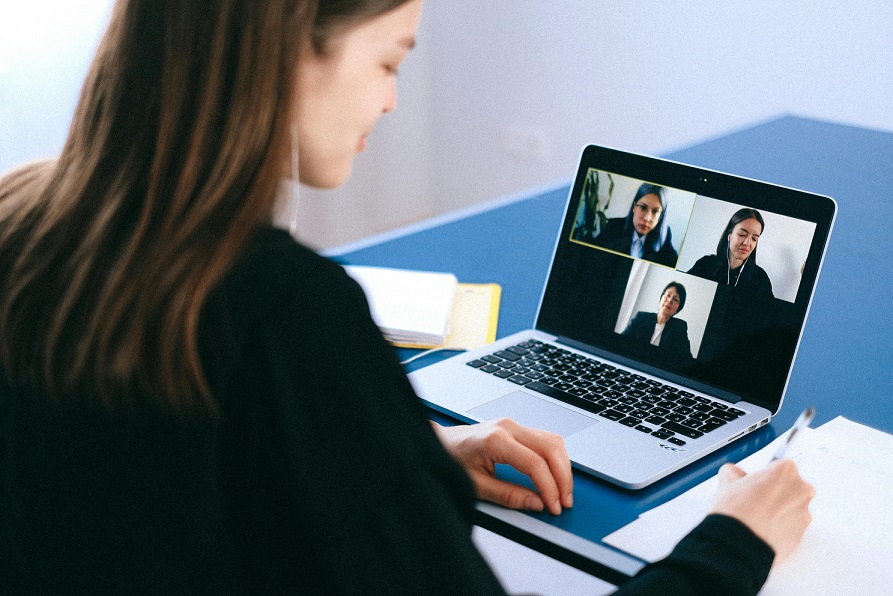
Hybrid work turned every meeting into a broadcast. Real-time captioning makes sure everyone can follow the conversation – whether they have hearing loss, are joining from a noisy airport, listening in a second language, or dialing in on a weak connection.
There are two ways to deliver live enterprise captioning, and the right choice depends on the stakes:
- Professional human captioners (CART): Best for high-stakes moments – board meetings, earnings calls, legal, or medical discussions – where a single misheard term can change meaning. Verbit’s CART captioning delivers verbatim, real-time accuracy.
- AI captioning: Best for everyday meetings, webinars, training sessions, and large-volume events where speed and cost matter most. Verbit’s Captivate™ ASR offers strong accuracy compared to other enterprise captioning tools because it can be customized with your company’s terminology, speaker names, and any other keywords or vocabulary you feed to it.
Many organizations use both. With Verbit Caption Live, teams can choose AI, human captioners, or a combination of the two for Zoom, Microsoft Teams, and other meetings. For global audiences, live translation is another strong consideration as it offers real-time multilingual captions so participants can easily engage in their native languages.
Simply put, captions enhance employee engagement. Just remember to look for ways to provide clear audio so captions can be captured effectively – good microphones improve captions, but also the meeting or event itself for all attendees.
Audio Description for Business: Making Visual Content Accessible
Another avenue businesses are now investing in is audio description. While captions make audio accessible, audio description for business does the same for visuals, narrating the on-screen elements – charts, product shots, text overlays, speaker changes – that viewers who are blind or have vision loss may otherwise miss. It’s also one of the most overlooked pieces of corporate accessibility: XR’s global advertising report found audio description in only 4% of ads worldwide.
That gap is an opportunity. Implementing audio description for business shows a real commitment to inclusive communication, and WCAG 2.1 Level AA requires it for prerecorded video.
Verbit offers two paths to generate audio description easily:
- Professional audio description: Expert-written descriptions for flagship, public-facing and compliance-critical content.
- AI audio description: Frame-by-frame analysis of actions, objects, settings, and on-screen text generates descriptions timed to avoid overlapping essential dialogue. Using AI for audio description offers a budget-friendly, scalable way to tackle large video libraries. With Verbit’s AI, you always have the option to bring in experts for high-stakes content as needed.
Understanding the benefits of audio description in corporate training, marketing, and investor communications helps justify the investment. Organizations that pair captions with audio description serve the broadest possible audience while meeting compliance requirements in one workflow.
Choosing Video Captioning Services: AI vs. Human Solutions
Not every video needs the same treatment, and the smartest enterprise captioning programs match the method to the stakes. Modern video captioning services use AI that performs well on clear audio with a single speaker. Accuracy still drops with heavy accents, crosstalk, poor audio and industry jargon – exactly the conditions common in real corporate content.
Here’s a practical way to decide:
| Content type | Recommended approach |
|---|---|
| Legal, medical, financial disclosures, executive, and investor communications | Professional human captioning or AI with human review |
| Customer-facing marketing and product videos | AI with human review |
| Internal meetings, trainings, informal updates, large backlogs of videos | AI captioning, upgraded to human review where needed |
Verbit’s flexible model offers both AI speed and professional human review, so you don’t have to choose one approach for your entire library. The same flexibility applies to translation: use AI translation for high-volume internal content and professional translation where nuance and brand voice matter. Free caption generators can look tempting, but their errors often cost more in review time than they save.
Selecting the right video captioning services also means understanding real-time versus post-production needs. For live events, give your provider speaker names, agendas and terminology in advance. For recorded content, post-production captioning delivers polished, synchronized captions with speaker identification. A unified platform that covers live captioning, post-production captioning, audio description, translation and dubbing keeps vendors, formats and compliance in one place.
Best Practices for Video Captioning in Business: Implementation Strategies
Following best practices for video captioning in business protects you on compliance and pays off in engagement. Learning how to implement captions in corporate videos starts with a clear picture of what you have and what matters most:
- Audit your video content. Inventory training, marketing, internal communications, events and archives. Prioritize public-facing and compliance-critical content first.
- Set quality standards by content type. Decide where AI captions are enough and where human review or professional captioning is required.
- Prep your provider. Share speaker names, agendas, acronyms, and product terminology in advance to prep the AI engine or professionals working on your content – it significantly improves accuracy for live and recorded content.
- Build accessibility into workflows. Look for captioning, audio description, or translation that offers integrations into your video platforms or LMS so new content is accessible by default, without adding extra work to your plate.
- Train your teams. Make sure business unit leaders, content creators, and company event owners know the requirements and how to request accessibility services.
- Monitor and test. Run regular accessibility audits and combine automated tools with manual testing, since automated checks can’t catch every issue.
There’s a competitive edge here, too. XR found that only 17% of global ads include any accessibility features at all. Prioritizing accessibility in corporate communication expands your reach and sets your brand apart. It helps both employees and consumers feel more engaged and loyal to your company.
Investing in corporate training accessibility pays back beyond compliance – in stronger training outcomes, higher employee satisfaction and lower legal risk. Verbit’s VPAT documentation can also help procurement and IT teams evaluate accessibility quickly.
The Path Forward: Preparing for 2026-2027 and Beyond
The DOJ’s extension bought public entities another year – and gave their vendors and partners a window to get ready, too. With the first ADA Title II deadline now set for April 26, 2027, the smartest move is to use that time well rather than scramble at the end.
The drivers aren’t slowing down. Audiences watch with captions by default, global teams expect content in their own language and WCAG 2.1 Level AA is becoming the standard reference point for public agencies, courts, procurement teams and EU regulators alike. Organizations that treat accessibility as a strategic advantage rather than a compliance checkbox will reach more people and build more trust.
The technology is ready. AI captioning handles everyday volume quickly and affordably, professional captioners cover high-stakes content and AI audio description can finally scale across entire video libraries. Unified platforms make it possible to manage all of it in one place.
It’s also a talent story. Accessible communication tells every employee and candidate that they belong, regardless of ability – a real differentiator in a competitive hiring market.
Organizations that act now – auditing content, adopting WCAG 2.1 Level AA, building enterprise captioning and audio description into content workflows, training staff and monitoring continuously – won’t just meet the deadlines. They’ll lead in accessible, engaging corporate communication for years to come.
Interested in learning how to make your corporate communications accessible?
Let’s connect and a member of Verbit’s team can walk you through how our enterprise captions, audio description, and translation can be tailored to the way your organization communicates.
FAQs on Corporate Captions & Audio Description
What are enterprise captions?
Enterprise captions are text versions of spoken audio applied across a company’s video and live communications – meetings, webinars, training, marketing, and events – usually managed through one platform with consistent quality standards and integrations. Enterprises often have greater needs for accuracy and compliance, so considering options that can guarantee certain accuracy levels over free, automatic captioning tools is the better option.
Are companies legally required to caption corporate videos?
Requirements depend on who you serve and where. Public entities must meet WCAG 2.1 Level AA under ADA Title II, businesses open to the public face ADA Title III litigation risk, employers must provide reasonable accommodations under Title I, and the European Accessibility Act covers many services offered to EU consumers.
When is the ADA Title II web accessibility deadline?
After the DOJ’s April 2026 extension, state and local governments serving 50,000 or more people must comply by April 26, 2027. Smaller entities and special districts have until April 26, 2028.
Does WCAG 2.1 require audio description?
Yes. WCAG 2.1 Level AA requires audio description for prerecorded video content, in addition to captions for both prerecorded and live video.
Should I use AI or human captioning?
Consider using AI captioning – as long as it can be prepped on your business and terminology – for high-volume, lower-risk content. Consider professional human captioning or AI that comes with human review for legal, medical, financial, executive, and public-facing content that can’t risk mistakes.