

Technology leaders, legal operations managers, and higher education administrators.
Key Takeaways
Modern speech recognition turns spoken language into text across courtrooms, classrooms, and daily customer interactions. Discover how artificial intelligence captures complex terminology and diverse speech patterns to streamline operations and open new doors for accessibility.
AT A GLANCE
- Advanced algorithms capture complex legal vocabulary rapidly to generate highly accurate courtroom transcripts.
- Speech-to-text tools provide real-time classroom accessibility for audience members who are deaf or hard of hearing.
- Voice recognition routing systems help businesses streamline customer service inquiries effortlessly.
WHO SHOULD READ THIS
Estimated Reading Time
5 min read
Chances are you’ve used speech recognition, also called automatic speech recognition (ASR), today without giving it a second thought. Maybe you dictated text, asked your car for directions, or turned on captions in a video you watched on mute. That same technology is also busy behind the scenes in courtrooms, lecture halls, newsrooms, city council chambers, and conference rooms, turning spoken words into text that people can read, search, share, and act on.
So, what is speech recognition used for? In 2026-2027, speech recognition applications cover almost everything people say. It powers captions and accessibility, legal transcripts, university lectures, media production, public meetings, contact centers, enterprise communications, clinical notes, and the voice tools in your pocket now. Below are real-world examples of speech recognition across nine areas, and within each industry, the speech recognition use cases keep multiplying.
What separates good ASR from great is accuracy. A misheard word in a voice search is a shrug. A misheard word in a deposition, a conference, or a board meeting record is a real problem. That’s where purpose-built speech recognition, like Verbit’s, stands out.
Quick facts: What to know about speech recognition in 2026-2027
- Speech recognition is built into far more of daily life and work than most people realize, from captions and transcripts to voice assistants and call analytics.
- Every industry has dozens of use cases, and they’re growing fast as AI improves.
- High-stakes settings like legal, education, and government should be using advanced speech recognition that can be personally trained on their own terms, names, and content.
- Free ASR tools are helpful for quick tasks, but often fall short on accuracy, customization, and data security.
- Verbit’s speech recognition technology offers high accuracy rates as it’s domain-trained and can be primed on your own vocabulary and content.
What is speech recognition, and what does it do?
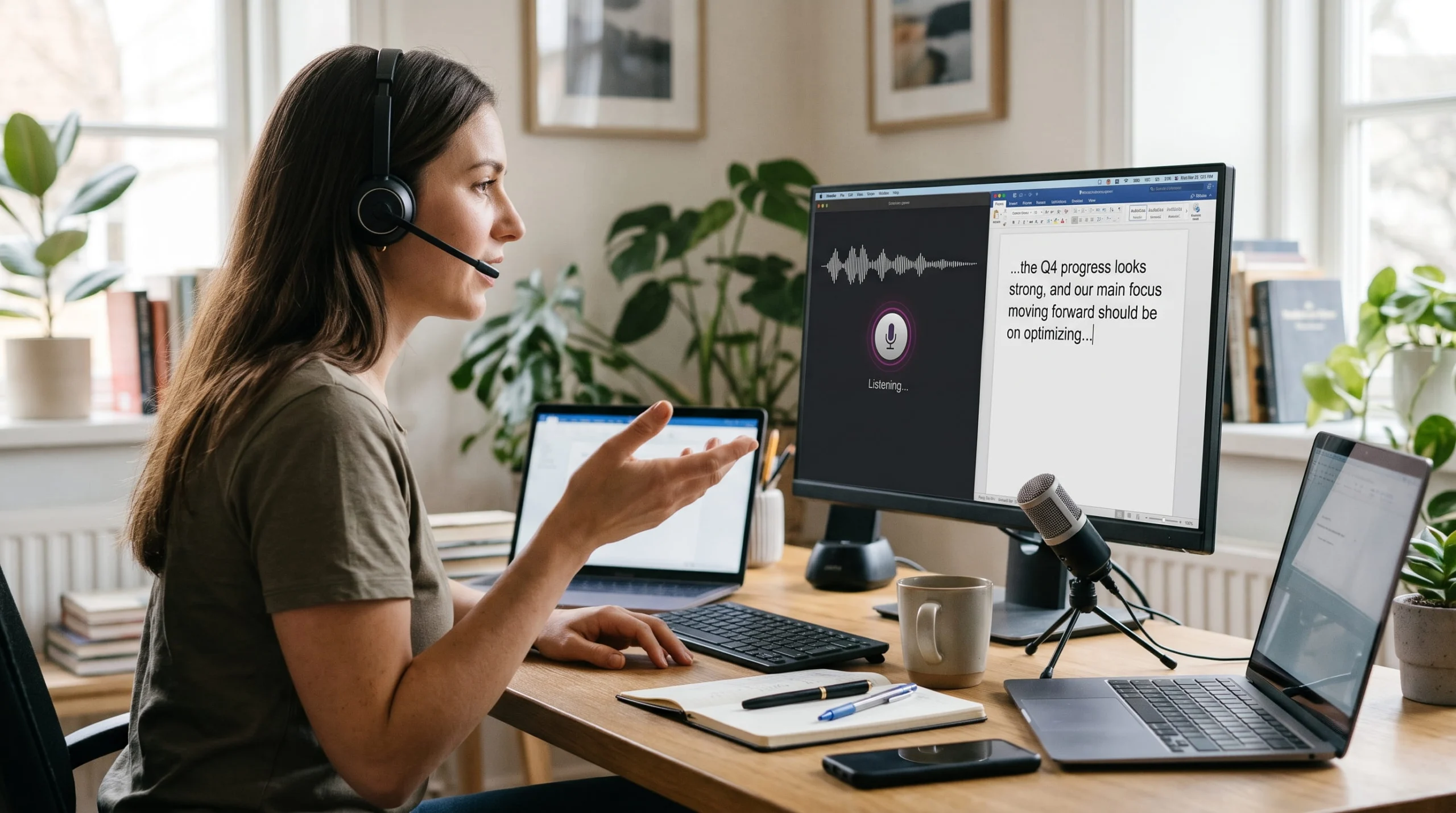
Speech recognition (also called speech-to-text or automatic speech recognition) uses AI to convert spoken audio into text. Want to know how it works under the hood? See our ASR 101 guide to how automatic speech recognition works. Curious how we got here, from Bell Labs to AI agents? Read the evolution of speech recognition.
9 top use cases for ASR tools currently
- Speech recognition for accessibility: captions and transcripts for everyone
Accessibility is one of the most powerful uses of speech recognition. It drives the live and recorded captions and transcripts that give people who are Deaf or have hearing loss full access to videos, events, classes, and meetings. The W3C’s Web Accessibility Initiative lists captions and transcripts as core requirements for accessible audio and video.
The reach goes well beyond one audience. Captions also help viewers who are learning a new language, people watching in noisy or quiet places, and anyone who simply prefers to read along. Transcripts make every spoken word searchable.
For US public entities and public colleges, accessibility is also a compliance priority. Under ADA Title II, after the DOJ’s April 2026 Interim Final Rule, larger public entities now have until April 2027 to make web content, including video, accessible. That’s time to use wisely by building a captioning workflow now rather than scrambling later. Learn more in our guide to the ADA.
One quick distinction: captions show speech in the same language as the audio, while subtitles typically translate it into another language. Both start with speech recognition, but they aren’t interchangeable.
- Speech recognition in legal: depositions, courtrooms, and litigation
Few industries put speech recognition to work in as many ways as legal. It supports court reporters during depositions and hearings, produces real-time rough drafts attorneys can search as testimony unfolds, speeds up final transcripts, and turns recorded interviews, arbitrations, and client calls into searchable records. With a well-documented shortage of court reporters, AI-assisted transcription helps firms and courts keep up with demand while professionals stay in control of the record.
Legal is also where generic tools stumble fastest. Case names, Latin terms like “voir dire,” overlapping speakers, and strict formatting rules call for speech recognition trained on legal language, backed by human verification. Verbit Legal Visor builds on this by delivering real-time insights during and after depositions and litigation. Explore Verbit’s legal solutions.
- Speech recognition in higher education: lectures, courses, and campus-wide accessibility
On campus, speech recognition is everywhere. Universities use it to caption live and recorded lectures, transcribe office hours and guest talks, make online courses accessible, support disability services accommodation requests, and turn hours of video into searchable study material. Students who are Deaf or have hearing loss get equal access, and every student gets a better way to review, search, and learn.
Verbit works with institutions such as Stanford University, University College London, San Francisco State University, and The University of Akron, as well as eLearning platforms including Coursera, Skillshare, and Udacity.
To help institutions scale their captioning and transcription efforts and meet ADA Title II deadlines for them, Verbit created Campus Complete, an all-in-one accessibility subscription for colleges and universities. Verbit’s speech recognition is baked into how it works to offer that scale at one transparent cost. It includes:
- Unlimited AI captions and transcripts for lectures, videos, and live events, so schools can caption their entire library rather than a small slice of it
- One flat annual subscription that scales from 100 to 10,000 hours with no per-minute fees or overages
- Human review on demand for accommodation requests and high-stakes or public-facing content
- AI learning tools built on the transcript, including summaries, quizzes, keywords, and chapters
- AI audio description, translation, and subtitles for students who are blind or have vision loss and to help international students and so many others
- Integrations with the platforms campuses already use, including Canvas, Zoom, Panopto, Kaltura, YouTube, and Vimeo
The result: speech recognition does the heavy lifting at scale, so accessibility teams can focus their time where people make the biggest difference. See more education and eLearning solutions.
- ASR in media and entertainment
In media, speech recognition keeps the content machine moving. Newsrooms, studios, and streaming platforms use it to caption and subtitle broadcast and on-demand content, generate transcripts for editing, pull quotes from hours of raw interviews in seconds, and make entire archives searchable. Fast, accurate captions also boost reach on social platforms, where a lot of video is watched with the sound off. Solutions like Captivate Post offer media-specific ASR primed for the needs of post-production media efforts, with options to scale up to a Captivate Post Plus tier flexibly when extra human review is needed.
- Speech recognition in government and public meetings
City councils, state agencies, and courts use speech recognition to caption public meetings, hearings, and press briefings, and to publish accurate transcripts for the public record. It helps residents follow along live, makes past meetings searchable, and supports translation for multilingual communities. With ADA Title II requirements in view, this use case is growing quickly. Verbit’s Civic Complete uses ASR to bundle captioning, transcription, and audio description efforts together for government teams to scale efforts as well.
- ASR in contact centers and customer service
Every customer call is full of insights, and speech recognition unlocks them. Contact centers use it to transcribe calls for quality assurance, flag compliance phrases, spot trends in customer sentiment, and coach agents. It also powers voice bots and natural-language phone menus that route callers by what they say, not by which button they press. Supervisors can see patterns across thousands of calls instead of sampling a handful.
- Speech recognition in corporate and enterprise: meetings, training, and global communications
Inside today’s companies, speech recognition is quietly running in the background of nearly every conversation that matters. Enterprises use it to:
- Caption and transcribe meetings, all-hands, and webinars so every employee can follow along, catch up later, or search for the moment a decision was made
- Make training and L&D videos accessible and easier to update, search, and reuse
- Support global teams with live translation and subtitles across languages
- Turn marketing, social, and corporate video into searchable, shareable content that reaches more people
- Document leadership briefings, board meetings, and HR conversations with accurate written records
- Speed up market research by transcribing customer interviews and focus groups for analysis
The payoff is huge: knowledge that once disappeared when a meeting ended becomes searchable, shareable, and accessible to everyone. Because much of this content is confidential, enterprise-grade security matters as much as accuracy. See how Verbit supports corporate and enterprise teams.
- Speech recognition in healthcare: clinical documentation
In healthcare, speech recognition helps clinicians spend less time on paperwork. Physicians spend nearly two hours on EHR and desk work for every hour of direct patient care, according to an AMA-led time-and-motion study. Doctors dictate notes by voice, and ambient AI scribes now listen to patient visits and draft documentation automatically. Early research links ambient AI scribes to lower reported burnout and documentation burden. Clinicians still review notes before they’re signed.
- Speech recognition in everyday life: voice assistants, dictation, and assistive technology
This is the speech recognition most people use every day, often without noticing. When you ask a smart speaker for the weather, speak a text message instead of typing it, search by voice on your phone, or tell your car to call someone, speech recognition is turning your words into commands.
It’s also a powerful form of assistive technology, meaning tools that help people with disabilities do everyday tasks more independently. For example:
- Someone with limited hand mobility can write emails, documents, and texts by speaking instead of typing.
- Someone who is blind or has low vision can open apps, send messages, and search the web using voice commands.
- Someone who is Deaf or has hearing loss can read live captions of a phone call, video chat, or in-person conversation on their phone.
For many people, speech recognition isn’t a convenience. It’s how they communicate, work, and stay connected.

Where free speech recognition and general-purpose ASR tools fall short
Free speech-to-text tools and built-in auto-captions are handy for quick, casual tasks. But they’re built for everyone, which means they aren’t built for you. Here’s where they tend to struggle:
- Your words, names, and jargon. Most free tools can’t be taught your product names, case names, course terms, or speaker names, so they guess and often guess wrong.
- Real-world audio. Accents, overlapping speakers, background noise, and technical vocabulary all drive up errors. A Stanford-led study in PNAS found that five major commercial systems made nearly twice as many errors for Black speakers as for white speakers.
- Data security and privacy. When you upload a recording to a free tool, read the fine print. Some free services may store your audio or use it in ways you didn’t plan for, which is a serious risk for confidential legal, student, HR, or business content.
- Accountability. Free tools rarely offer human review, compliance support, or someone to call when accuracy really matters.
For high-stakes content, those gaps add up to hours of cleanup, compliance risk, and audiences who can’t fully access what was said. Our ASR 101 guide covers accuracy and best practices in more depth.
Why Verbit's automatic speech recognition stands out
When considering which ASR to use, look for one that doesn’t just listen, but learns your world. Verbit’s speech recognition engine, Captivate, does just that.
Verbit’s Captivate technology is trained on industry-specific content, and you can further prime it with your own glossaries, terminology lists, speaker names, and formatting preferences, both before and during a session. That means it can recognize a professor’s name and chemistry terms, a law firm’s case and party names, a company’s product names, or a city council’s street and district names, and get them right the first time they show up on screen in the form of captions or a transcript. It’s speech recognition that avoids embarrassing mistakes and works for your use case and your users, not just the average one. That’s something most free ASR tools simply can’t do.
What that looks like in practice:
- Built for your content. Prime Captivate on the terms and names that matter most, so your captions and transcripts reflect how your people actually talk.
- Live and recorded. Real-time captions for classes, events, and meetings, plus post-production captions and transcripts for your video library.
- Human review when it counts. Add Verbit’s professional reviewers for accommodation requests, legal records, and public-facing content.
- Global reach. Translate captions and transcripts into 28+ languages, with AI or professional translation depending on your use case and budget.
- Security you can trust. Verbit aligns with SOC 2 Type II standards and uses encrypted workflows and enterprise access controls to protect sensitive content.
While Verbit offers human-produced captioning, real-time captioning, and transcription solutions across legal, education, media, government, and enterprise, more of our customers are turning to our ASR to tackle these due to its strong accuracy and cost-effectiveness.
Speech recognition is already woven into how you learn, work, communicate, and connect, and your competitors and peers are surely using it. Contact Verbit to arrange a time to see Captivate in action and learn how we can customize its engine to your needs.

FAQs about speech recognition use cases
What is speech recognition used for?
Speech recognition converts speech into text. It’s used for captions and transcripts, legal and court transcription, lecture capture, media production, public meetings, contact center analytics, enterprise meetings, clinical notes, and voice assistants.
What are some examples of speech recognition?
Common examples include live captions on a lecture or webinar, a deposition transcript, a voice assistant answering a question, a contact center transcribing calls for quality review, and a doctor dictating patient notes.
What is the difference between speech recognition and voice recognition?
Speech recognition identifies what is being said and turns it into text. Voice recognition (or speaker recognition) identifies who is speaking, for example to verify a caller’s identity. Many products use both.
Are free speech recognition tools good enough?
For quick, casual tasks, often yes. For legal, education, government, or confidential business content, you’ll usually need speech recognition you can customize with your own terms, human review options, and strong data security.
How does speech recognition support accessibility?
It powers captions and transcripts that make audio and video accessible to people who are Deaf or have hearing loss. It also lets people with mobility or vision disabilities control devices and write by voice.
What's the difference between captions and subtitles?
Captions present the audio in the same language and often include sound cues. Subtitles typically translate the dialogue into a different language for viewers who don’t speak the original language.