

Video creators, digital media producers, and corporate communications teams.
Key Takeaways
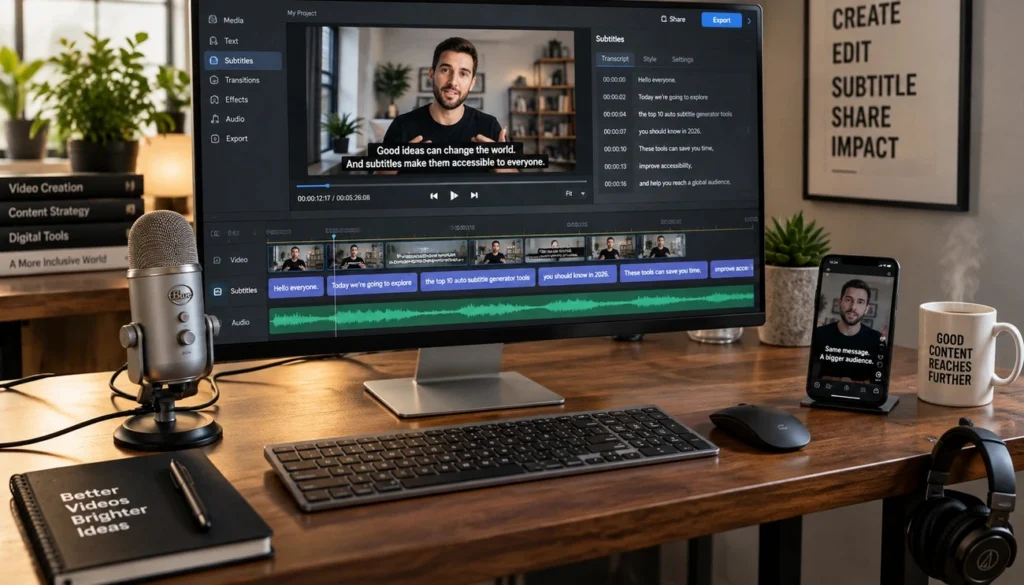
Unlock the full potential of your video library with tools that make accessibility effortless and every frame more impactful. Discover the year’s leading AI captioning platforms featuring smart automation and effortless integrations designed to elevate your content.
AT A GLANCE
- Deliver precise subtitles instantly by leveraging automated time-saving transcription engines.
- Expand global audience reach effortlessly using built-in multilingual translation capabilities.
- Publish polished videos directly to your favorite platforms with flexible file export options.
WHO SHOULD READ THIS
Estimated Reading Time
27 min read
Not long ago, adding captions to a video meant hours of manual transcription and clunky caption editors. That’s changed quickly. Today’s AI video captioning tools reach over 95% accuracy on clear English speech, and many now support 100+ languages. The time savings are just as big, with some tools able to cut editing time by 60-80% per minute of finished video. For broadcasters, streaming platforms, corporate video teams, and creators, that’s a major shift in how quickly video content gets captioned, made accessible, and shared.
The best AI tools for video captions in 2026-2027 go well beyond putting words on screen. Some, like Verbit, pair AI trained on your own terminology with optional human review, so captions hold up to broadcast, streaming, and accessibility compliance standards too. Others specialize in animated caption styles built for social media engagement, clip-first workflows, or team collaboration at scale.
To help you find the right fit, we’re comparing the leading AI video caption generators across accuracy, speed, multilingual support, and workflow integration – covering everything from free tools for individual creators to professional platforms built for media companies and high-volume business video. We also recently produced an AI video subtitle generator comparison guide if translation is a big area for you to consider as well.
Reap - Best AI Caption Generator for Short-Form Content Creation

Reap doesn’t position itself as just a captioning tool – it functions as a full AI video editor, analyzing faces, vocal tone, pauses, and pacing through multi-signal AI to identify viral moments buried inside long-form content. That distinction matters. Ranked #1 for fastest time-to-first-clip in an April 2026 benchmark, Reap processes a 90-minute podcast in 4-5 minutes, compared to roughly 25 minutes for competing tools.
Key Features
Accuracy and language coverage: The platform delivers 98%+ word-level accuracy across 100+ languages – but what separates Reap from the field is its support for romanized scripts that billions of users actually type on social media. Hinglish, Romanized Urdu, Arabizi, Romanized Bengali – formats that most caption tools ignore entirely. Where other tools cap out at 20 languages with high word error rates, Reap handles the scripts that reflect how people actually communicate online.
Animated caption presets: Reap offers 50+ animated caption presets built specifically for TikTok, Reels, YouTube Shorts, and LinkedIn. Word-by-word highlights, bold kinetic text, smooth lower-thirds, trending formats – each preset is fully customizable for fonts, colors, positioning, and animation speed. Custom styles can be saved as brand templates, keeping formatting consistent whether videos are created manually, by team members, or through the API.
AI dubbing and translation: The voice cloning feature replicates your voice with natural intonation and pacing across 80+ languages, without re-recording. Combined with one-click subtitle translation into 100+ languages, a single video can become region-specific versions with localized captions, dubbed audio, and culturally relevant formatting – without building separate production workflows for each market.
API, CLI, and MCP access: Every paid plan includes API, CLI, and MCP access starting at the entry tier. This means adding captions programmatically to batches of videos, triggering translation and styling workflows, and connecting video production to AI agents or internal tools. User reviews consistently highlight Reap’s API and MCP connections as among the strongest available in the space.
| Plan | Price | Upload Hours | Key Features |
|---|---|---|---|
| Free | $0 | 1 hour/month | Basic caption styles, 720p exports, all languages |
| Creator | $9.99/month (annual) | 10 hours/month | 50+ premium styles, API/CLI/MCP, 1080p/4K exports, dubbing, translation |
| Studio | $29.00/month (annual) | 20 hours/month | All Creator features, team collaboration, brand templates |
Hours are calculated based on source video duration, not generated clips.
Best For
Reap suits content creators repurposing long-form videos into short clips, agencies automating caption workflows across multiple clients, and multilingual teams distributing content globally. For developers building automated video production systems, API access at the Creator tier makes it a particularly practical starting point.
CapCut - Best Free AI Caption Tool with Animated Styles

ByteDance built CapCut as a companion to TikTok, and the numbers reflect that relationship – over one billion downloads and hundreds of millions of monthly users. The platform’s captioning solution automatically transcribes spoken words and syncs them with video timing, but what actually separates CapCut from basic transcription tools is its emphasis on animated caption styles tuned specifically for social media performance.
Key Features
CapCut’s AI reads your video’s tone and applies matching animation styles to captions automatically, without manual design work. The preset library covers glow, highlight, monoline, multiline, trending, word, and frame styles – each adjustable for fonts, colors, and positioning to fit brand requirements.
The auto spoken language detector handles multilingual content without any manual input, and bilingual support lets you display original-language captions and translated subtitles simultaneously. Filler words – “um,” “uh,” “you know” – get flagged and removed automatically, keeping captions clean and dialog flow intact. That alone saves meaningful editing time for creators working at volume.
Inline text editing lets you correct captions directly within the interface. The AI Text Remover clears existing on-screen text so your generated captions aren’t competing with distracting backgrounds. CapCut also folds its caption generator into a full video editor, so transitions, effects, and music all stay within the same platform.
| Plan | Price | Export Quality | Key Limitations |
|---|---|---|---|
| Free | $0 | Up to 1080p | Watermarks on some templates, limited premium assets |
| Pro | $9.99/month or $89.99/year | Up to 4K | No watermarks, AI auto-captions, 100GB cloud storage |
The annual Pro plan saves $30 over monthly billing. Auto-captions are exclusive to Pro users – the free version requires manual caption entry.
Best For
CapCut suits social media creators producing content for TikTok, Instagram Reels, and YouTube Shorts who need caption styles that hold attention rather than just display text. Tutorial creators and educators benefit from filler word removal and multilingual support for international audiences. Marketing teams running paid campaigns can rely on dynamic captions to ensure their message lands even when viewers have the sound off.
Verbit - Most Flexible AI Captioning Platform for Media and Business Video

Most tools on this list are built for one kind of video. Verbit is built for all of it. It’s captioning can be customized to the exact needs of live news and sports broadcasts, reality series with hundreds of hours of raw interviews, FAST channel libraries, streaming catalogs, product launches, town halls, and training content. Instead of forcing every project through a single workflow, Verbit lets teams choose the mix of AI, human review, turnaround, and budget that fits each piece of content, all from one platform.
The engine behind Verbit’s AI is Captivate™, an ASR technology, which uses domain-specific models, term boosting, and a dynamic dictionary to learn the names and terminology generic tools stumble over – cast and character names, athletes, show titles, brands, and industry jargon. The result is up to 99% targeted accuracy on exactly the content where a single misspelled name can end up on air.
That flexibility is why Verbit is trusted by media brands including Entertainment Tonight, ITV Studios, Project Runway, Manchester City FC, and Ball Arena, alongside organizations like Google, Stanford University, and individual content creators and YouTubers alike.
Key Features & Captioning Solutions
Captivate™ Post and Post Plus for post-production: Choose Captivate™ Post for AI-powered captioning built for high-volume, price-sensitive workflows, or step up to Captivate™ Post Plus for distribution-grade captions with a human QC layer, human-reviewed caption placement, and offscreen speaker identification. Both include automatic alignment and segmentation, 37+ automatic atmospherics and sound effect labels, music lyric identification, commercial break detection, and intelligent caption placement – so captioning stops being the bottleneck at the end of post, and viewers who are Deaf or hard of hearing get richer captions.
Live captioning for broadcasts and events: Captivate™ Live delivers broadcast-quality real-time captions for news, sports, and live events, while Venue Live brings live captions, transcription, and translation to arenas, stadiums, and on-site events.
One platform for accessibility and localization: Beyond closed captioning, Verbit covers media transcription, translation, and subtitling in 28+ languages, AI dubbing, and audio description, with the choice of AI translation for speed or professional linguists for premium content. No stitching together separate vendors to get one piece of content ready for global, accessible distribution.
Broadcast-ready outputs and production deliverables: Export SRT, VTT, SCC, and SAMI files, with support for SMPTE timecodes, speaker identification, vertical captions, and spatial video formats. Production teams can also get as-broadcast scripts, dialogue continuity scripts, and combined continuity lists from the same partner handling their captions.
Generative AI that turns video into content: Verbit’s generative AI builds on finished transcripts to create summaries, chapters, keywords, and suggested headlines, turning raw interviews, episodes, webinars, and town halls into searchable, publish-ready assets in minutes.
Compliance, security, and integrations: Verbit supports FCC, ADA, WCAG, Ofcom, and European Accessibility Act requirements, backed by enterprise-grade security with ISO and GDPR compliance. It connects directly to the platforms teams already use, including YouTube, Vimeo, Brightcove, Kaltura, Zoom, Microsoft Teams, Dropbox, Google Drive, and AWS.
Pricing is based on volume, turnaround, and service level, so teams can run AI-only captions on high-volume content and add human review only where it’s needed. Contact Verbit for a custom quote.
Best Captioning For
Verbit is the strongest fit for broadcasters, streaming platforms, FAST channels, studios, post-production houses, and digital publishers that need captions ready for distribution and compliance review, as well as corporate communications, marketing, and L&D teams publishing high volumes of video for internal and external audiences. It’s captioning and transcription also supports legal, education, and government teams. If you need live and post-production captioning, translation, dubbing, and audio description from a single partner – with human review available whenever accuracy is non-negotiable – Verbit is the only tool on this list built to cover all of it.
Descript - Best AI Captioning Solution for Transcript-Based Editing

Descript takes a fundamentally different approach to video editing – one built around text rather than timelines. Upload footage, and the platform transcribes it automatically. From there, editing the video is as simple as editing a document. Delete a sentence from the transcript, and that moment disappears from the video. Move a paragraph, and the footage follows.
For anyone whose work centers on spoken dialog, that’s a meaningful shift in how production actually feels.
Key Features
Transcription accuracy: Reaches approximately 95% under typical conditions, with automatic speaker detection that separates voices across interviews, webinars, and panel discussions. Fix the text once, and caption timing adjusts automatically – speaker labels and line breaks stay aligned throughout the edit.
Caption styles and export options: Dynamic captions come in Classic, Clean, and Karaoke presets, each fully customizable for fonts, colors, background boxes, and animation. These templates help teams maintain consistent formatting across projects without rebuilding styles from scratch. Both SRT/VTT exports for YouTube and Vimeo and burned-in captions for social media are supported.
Audio and transcript cleanup: Studio Sound removes background hiss, room echo, and recording noise in a single click. The filler word removal tool flags every “uh,” “um,” and “like” across the full transcript, letting editors clear them in bulk or review each one individually. Underlord, Descript’s AI co-editor, handles clip creation, retake removal, and video description generation.
Voice and language tools: Overdub voice cloning generates replacement audio in your voice from typed text, eliminating the need to re-record corrected lines. Eye contact correction adjusts gaze to appear direct even when reading off-screen notes. Translation and dubbing extend content into 20-30+ languages with lip-synced mouth movements.
| Plan | Annual Price | Media Hours | AI Credits | Export Quality |
|---|---|---|---|---|
| Free | $0 | 1/month | 100 (one-time) | 720p with watermark |
| Hobbyist | $16/month | 10/month | 400/month | 1080p, no watermark |
| Creator | $24/month | 30/month | 800/month | 4K, no watermark |
| Business | $50/month | 40/month | 1,500/month | 4K, priority support |
| Enterprise | Custom | Custom | Custom | SSO, admin controls |
Annual billing saves up to 35% versus monthly rates.
Best For
Descript suits podcasters editing interview shows, educators producing tutorial content, and marketing teams building training libraries – essentially, anyone whose video workflow revolves around spoken word rather than visual sequencing. The transcript-based editing model offers the sharpest time savings precisely where dialog-heavy production is most repetitive.
VEED.io - Best Browser-Based AI Video Caption Generator

VEED.io doesn’t require a software download, a system setup, or a specific device. The platform runs entirely in your browser, giving teams access to AI captioning tools from any computer with an internet connection. Captions generate in 125+ languages with up to 99.9% accuracy, and regional accents are recognized automatically – so whether you’re editing from a client’s office or switching devices mid-project, the workflow picks up exactly where you left off.
Key Features
The speech recognition engine detects over 100 languages and accents, converting audio to text without manual typing. Dynamic captions make keywords pop and emphasize as you speak – a capability that matters when 85% of mobile videos are watched without sound. Animated caption formats include box highlights and karaoke-style animations that stay in sync with spoken audio.
Editing is immediate. Click on any caption text and start typing; changes appear on the video in real time. The platform also flags low-confidence words, jargon, and names automatically, so potential transcription errors surface before export rather than after. Fonts, colors, backgrounds, and animation styles are all customizable to brand guidelines, with the option to save configurations as reusable templates.
Export flexibility is a practical strength here. Burned-in (open) captions are embedded directly into the video file, while downloadable caption files are available in SRT, VTT, and TXT formats. Translation tools extend captions into 125+ languages for international distribution, and the platform connects to a full video editor – transitions, effects, and music all within the same workflow.
| Plan | Price (Annual) | Export Quality | AI Credits | Key Features |
|---|---|---|---|---|
| Free | $0 | 720p with watermark | Limited | Basic editing, limited AI usage |
| Creator | $12/month | 1080p | 6,000/year | Watermark-free, unlimited auto captions, 15+ AI tools |
| Pro | $24/month | 4K | 30,000/year | Multiple brand kits, translation, 144 hrs AI voice/year |
| Studio | $39/month | 4K | 180,000/year | 960 hrs AI voice/year, custom templates, analytics |
Annual billing reduces the effective monthly cost compared to monthly subscriptions.
Best For
VEED.io works well for social media creators producing content for Instagram, TikTok, and YouTube who need quick caption generation without any software setup. Marketing teams benefit from the collaboration features and brand kits that keep visual consistency intact across campaigns. Educators and trainers can pair screen recordings with automatic captions to build accessible learning content, while remote teams spread across locations gain practical flexibility from a cloud-based workflow that requires nothing more than a browser.
Kapwing - Best AI Captions for Team Collaboration

Caption accuracy matters less when your team can’t agree on which version of a video is final. Kapwing solves that problem first – operating as a centralized workspace where teams create, review, and approve video content without platform-switching or scattered file management. The browser-based editor requires no downloads or installations, so team members can jump into projects immediately from any device.
Key Features
The AI caption generator delivers 99% accuracy across 100+ languages, producing customizable captions with over 100 preset styles. Fonts, colors, backgrounds, and animations are all adjustable within each template. The Brand Kit stores preferred colors, fonts, logos, and caption styles in one location – so every team member produces visually consistent content without reconfiguring formatting options from scratch on every project.
Real-time simultaneous editing allows multiple users to work on the same project concurrently, with changes appearing instantly for all collaborators. Time-stamped comments attach directly to specific video frames, giving reviewers a way to provide precise feedback without lengthy email threads or vague descriptions like “fix that caption around the middle.” Shared asset libraries store uploaded videos, images, and logos once for team-wide access across all projects – eliminating the back-and-forth of hunting down brand assets.
Translation tools convert captions into 100+ languages, including Spanish, Chinese, French, Hindi, and Arabic. Export options include SRT, VTT, and TXT formats for platform compatibility with YouTube, TikTok, and LinkedIn.
| Plan | Annual Price | Caption Minutes/Month | Storage | Key Features |
|---|---|---|---|---|
| Free | $0 | 10 minutes | Basic | Watermarks, 720p exports, limited AI credits |
| Pro | $16/month | 1,000 minutes | 200GB | No watermark, 4K exports, Brand Kit, 1,000 credits |
| Business | $50/month | 4,000 minutes | 500GB | All Pro features, 4,000 credits, priority support |
Pricing reflects per-member costs when billed annually.
Best For
Kapwing suits social media agencies coordinating content across multiple clients, marketing teams that need brand consistency across every video they publish, and remote video production teams where frame-accurate feedback – not back-and-forth email chains – keeps projects moving.
Opus Clip - Best AI Captioning for Clip-First Workflows

Most captioning tools treat clipping as an afterthought. OpusClip flips that entirely – analyzing long-form video first, identifying viral moments through proprietary AI, and delivering short clips with captions already applied. The result is a workflow where captioning and content strategy happen simultaneously rather than in sequence. That approach has attracted over 10 million users, collectively producing more than 172 million clips, with SoftBank Vision Fund 2 backing the platform at a $215 million valuation.
Key Features
The AI curation system scans video content against social media trends to surface hooks, pacing shifts, and high-engagement moments. Each clip receives a Virality Score from 0-100 – a practical prioritization tool that helps you decide which clips warrant editing time and which are ready to post immediately. Internal evaluations show the upgraded AI Curation produces 63% more shareable clips and is 57% less likely to generate incoherent content compared to earlier versions.
Captions appear automatically with customizable styles, emoji insertion, and keyword highlighting across 40+ languages. The ClipAnything technology delivers context-aware captions with speaker identification, maintaining 98%+ accuracy. Pro plans include AI B-Roll generation – 50 clips per day – inserting relevant stock footage or AI-generated visuals to hold viewer attention between speakers.
The built-in editor handles timeline adjustments, caption refinement, and layout changes without requiring external software. For teams with more demanding finishing needs, XML export to Adobe Premiere Pro and DaVinci Resolve keeps professional workflows intact. Social scheduling publishes directly to YouTube Shorts, TikTok, Instagram Reels, LinkedIn, Facebook, X, Pinterest, Threads, and Bluesky.
| Plan | Monthly Price | Credits/Month | Key Features |
|---|---|---|---|
| Free | $0 | 60 | Watermark, 3-day expiry, 1080p exports, no editing |
| Starter | $15 | 150 | No watermark, virality score, basic social posting |
| Pro | $29 ($14.50 annual) | 300 | AI B-Roll, team workspace (2 seats), XML export, scheduling |
| Business | Custom | Custom | API access, unlimited seats, priority support |
Credits equal processing minutes of source video.
Best For
OpusClip suits podcasters repurposing hour-long episodes into social clips, creators who need a consistent posting cadence without manual editing work, and agencies batch-processing client content where AI-driven clip selection meaningfully reduces production time.
Adobe Premiere Pro - Best AI Video Captions for Professional Editors
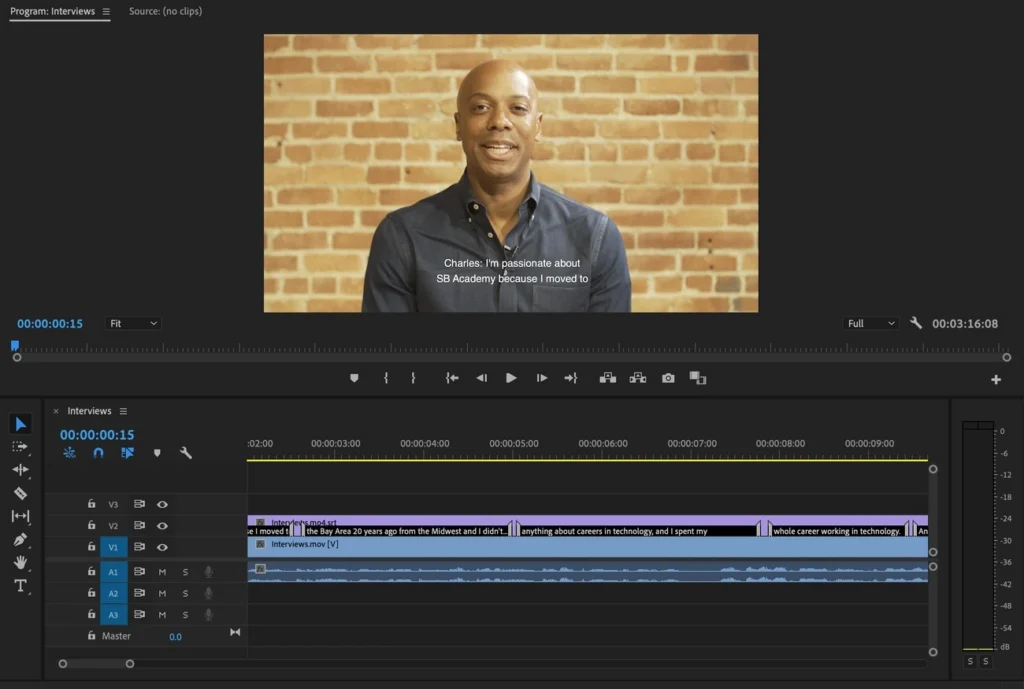
Professional video editors rarely want to leave their primary editing environment to handle captions – and with Adobe Premiere Pro, they don’t have to. The platform’s Speech to Text feature, launched in 2021 and updated annually, now supports 18+ languages with word-level timing, live translation, and direct integration with Premiere’s Essential Graphics panel for styling. Accuracy sits at approximately 95% on clear audio, though results vary depending on recording conditions, accents, and technical terminology. Verbit also offers an integration directly into Adobe Premiere Pro so users can leverage Verbit’s captioning technology within the platform.
Key Features
The native Speech to Text tool generates automatic captions with word-level timing precision, placing editable transcript sequences directly on the timeline. The 2026 update added translation built into the workflow, converting captions across supported languages without external tools. SRT and VTT export formats handle platform compatibility, with burned-in options available for social media distribution.
Where Premiere Pro’s native toolset shows its limits is in animated caption styles – the Essential Graphics panel offers relatively few presets out of the box. This is where the plugin ecosystem earns its place. Premiere Assistant uses native graphic clips for 20-40x faster rendering compared to MOGRT files, supports cloud fonts, and handles transcript editing with full keyboard shortcuts. AutoCut extends language support to 80+ with social media-style animated captions and word highlights. CaptionX covers 100+ languages with a genuine free tier – no credit card required. Smart Captions generates word-by-word animated captions as native Premiere title clips across 99 languages, achieving 99.5% accuracy. Together, these plugins address the gaps that the native toolset leaves open.
| Plan | Monthly Price | Key Features |
|---|---|---|
| Premiere Pro Single App | $22.99 | Premiere Pro only |
| Creative Cloud All Apps | $59.99 | All Adobe apps |
| Students & Teachers | $19.99 | Educational discount (first year) |
| Business | $89.99/seat | Team collaboration, admin controls |
Best For
Premiere Pro works well for professional editors handling both long-form and short-form content, broadcast producers who need precise timeline control, and post-production teams already operating within the Adobe ecosystem – where keeping captioning inside the existing workflow matters as much as the captions themselves.
DaVinci Resolve - Best AI Caption Tools for Color Grading Workflows

DaVinci Resolve built its reputation on color grading – the kind used across feature films and broadcast television – and captioning has grown alongside that foundation rather than driving it. That distinction matters when evaluating it as a captioning tool. The free version’s native captioning tool handles manual text entry and timing without AI transcription, which works well enough when you already have a prepared transcript but falls short if you need automated caption generation from scratch.
Key Features
Automatic caption generation arrived in DaVinci Resolve Studio with version 18.5, using speech-to-text technology to analyze audio and produce transcriptions directly from the Timeline menu. The feature supports 18+ languages with customizable caption presets – including Netflix-style formatting – giving post-production teams a capable built-in option without third-party tools. Free version users, however, still rely on manual subtitling or external solutions for anything automated.
DavinciClaude extends both versions considerably, adding Smart Captions for word-by-word animated captions and Smart Subtitles for 99-language subtitle generation. Smart Captions achieves 99.5% word-level accuracy on clean audio through Whisper transcription paired with Claude refinement, catching errors in proper nouns, technical terminology, and brand names that pure audio models typically miss. Smart Subtitles handles multilingual distribution by transcribing English audio and translating into 99 supported languages simultaneously. Both features integrate natively and remain completely free – a meaningful advantage for teams managing tight production budgets.
| Version | Price | Auto-Captions | Resolution Limit |
|---|---|---|---|
| Free | $0 | No (manual only) | Ultra HD 60fps |
| Studio | $295 one-time | Yes (18.5+) | Up to 32K 120fps |
The one-time Studio license stands out in a market dominated by monthly subscriptions – particularly for teams processing consistent volumes of content where recurring costs add up quickly.
Best For
DaVinci Resolve suits colorists adding captions within grading workflows, editors working on free software who want to extend capability through plugins, and post-production teams requiring multilingual subtitling without ongoing subscription costs.
Zubtitle - Best AI Caption Solution for Social Media Marketing

Eighty percent of social media videos are watched on mute. That single reality shapes everything about how Zubtitle is built – a captioning platform designed specifically for marketing teams who need captions live and branded fast, without wading through a complex editing environment.
Key Features
Automated transcription and editing: Zubtitle runs on Google’s speech-to-text engine, supporting over 60 languages with particularly strong results on English content. Short clips get timed captions within seconds, and a timeline editor handles manual corrections where needed.
Headline and branding overlays: The headline editor adds attention-grabbing text overlays drawn from hundreds of fonts and colors. One-click resizing adjusts any video to square, vertical, or horizontal formats for platform-specific distribution – a practical time-saver for teams publishing across Instagram, TikTok, and YouTube simultaneously.
AI content generation: The platform converts video content directly into social media post copy, generates titles and hashtags automatically, and creates YouTube descriptions with chapter timestamps. Custom branding tools cover logo uploads, watermarks, saved style templates, and progress bars designed to hold viewer attention.
| Plan | Price | Videos/Month | Key Features |
|---|---|---|---|
| Bootstrapper | $0 | 2 | Watermarked exports, 720p, all features |
| Guru | $19/month | 10 | No watermark, 4K, premium support |
| Agency | $49/month | 30 | No watermark, 4K, premium support |
Best For
Zubtitle works well for podcasters cutting long-form content into vertical clips, creators keeping audiences engaged on mute, and brands that need logos and headlines on videos – whether for internal communications or social campaigns – without spending hours in an editor.
Comparison Table: Top AI Video Captioning Tools at a Glance
Choosing the right AI captioning tool comes down to matching your specific workflow – not chasing the highest accuracy number or the longest feature list. The table below puts all 10 tools side-by-side across the criteria that matter most: accuracy, language support, starting price, standout capabilities, and API or integration options.
| Tool | Best For | Accuracy & Languages | Starting Price | Key Distinguishing Features | API/Integrations |
|---|---|---|---|---|---|
| Reap | Short-form content creation and repurposing | 98%+ accuracy, 100+ languages including romanized scripts (Hinglish, Arabizi, etc.) | Free ($0) - 1 hour/month | Multi-signal AI for viral moment detection, 50+ animated caption presets, AI dubbing in 80+ languages, fastest time-to-first-clip (4-5 min) | API, CLI, and MCP access on all paid plans starting at $9.99/month |
| CapCut | Free animated captions for social media | Advanced speech recognition, auto language detection | Free ($0) with watermarks | 1+ billion downloads, automatic filler word removal, bilingual caption support, AI text remover, TikTok integration | Integrated with full video editor |
| Verbit | YouTube content, media, broadcast, and business video that needs accuracy, compliance, and scale | Up to 99% targeted accuracy with optional human review, 28+ languages for captioning and subtitling | Custom quote (individual plans for media, market research, corporate, education) | Captivate™ Post and Post Plus, broadcast-quality live captioning, 37+ sound effect labels, SCC/SAMI and SMPTE support, translation, AI dubbing, audio description, generative AI summaries and headlines | YouTube, Vimeo, Brightcove, Kaltura, Zoom, Microsoft Teams, AWS, and more |
| Descript | Transcript-based editing workflows | ~95% accuracy, automatic speaker detection | Free ($0) - 1 hour/month | Edit video by editing text, Studio Sound audio enhancement, Overdub voice cloning, Eye contact correction, translation with lip-sync | Integrates with standard workflows, XML export |
| Veed.io | Browser-based editing without software installation | Up to 99.9% accuracy, 125+ languages | Free ($0) with watermarks | Runs entirely in browser, dynamic captions with keyword pop effects, flags low-confidence words automatically | Cloud-based, integrates with full video editor |
| Kapwing | Team collaboration on video projects | 99% accuracy, 100+ languages | Free ($0) with watermarks | Real-time simultaneous editing, time-stamped comments on specific frames, Brand Kit for consistency, shared asset libraries | Browser-based, team workspace features |
| Opus Clip | Clip-first workflows with AI curation | 98%+ accuracy, 40+ languages | Free ($0) - 60 credits/month | AI identifies viral moments with Virality Score (0-100), generates 172M+ clips for 10M+ users, AI B-Roll generation (50 clips/day on Pro) | XML export to Premiere Pro/DaVinci Resolve, social scheduling to 10+ platforms |
| Adobe Premiere Pro | Professional editors in Adobe ecosystem | ~95% accuracy on clear audio, 18+ languages | Single App: $22.99/month | Native integration with professional editing timeline, word-level timing, Essential Graphics panel styling, expandable via plugins | Part of Creative Cloud ecosystem, plugin marketplace |
| DaVinci Resolve | Color grading workflows requiring captions | 99.5% accuracy (with DavinciClaude plugin), 18+ languages native, 99 with plugin | Free ($0) or Studio $295 one-time | Industry-standard color grading with captioning, DavinciClaude plugin adds Smart Captions and 99-language Smart Subtitles completely free | Native caption tools, plugin extensions available |
| Zubtitle | Social media marketing teams needing speed | Google speech-to-text engine, 60+ languages | Free ($0) - 2 videos/month | Designed for 80% of videos watched on mute, AI generates social post text/titles/hashtags, one-click aspect ratio resizing | Automated social media content generation tools |
Automated social media content generation tools
Not every tool on this list will fit your workflow – and that’s expected. The right choice comes down to what you actually need day-to-day, not which platform has the longest feature list.
Social media creators building clip-heavy content will find Reap’s animated presets and viral moment detection worth starting with. Media companies, broadcasters, and business teams that need captions ready for distribution, compliance, and global audiences are best served by Verbit, which pairs AI trained on your terminology with optional human review, live and post-production workflows, and translation, dubbing, and audio description on one platform. Professional editors already embedded in Adobe or DaVinci workflows gain the most by keeping captioning inside their existing environment rather than adding another platform to the mix.
The free tiers across most of these platforms are genuinely functional – use them. Test accuracy on your actual audio, evaluate the interface against your real production process, and upgrade once you’ve confirmed the tool earns its place in your workflow.
The captioning landscape has matured well past basic transcription. The tools are better than they’ve ever been. The question now isn’t whether AI captioning can help your production – it’s which tool fits the work you’re already doing.
Key Takeaways on AI Video Captioning Tools
Modern AI captioning tools have transformed video production, achieving 95%+ accuracy while reducing editing time by 60-80%. Here’s what you need to know when choosing the right solution:
- Match tools to your workflow, not features to hype – Social creators need animated presets (Reap, CapCut), media and business teams need trainable AI, human review, and compliance-ready outputs (Verbit), and professional editors benefit from native integration (Premiere Pro, DaVinci Resolve).
- Free tiers offer genuine value for testing before committing – Most platforms provide functional free versions with watermarks, allowing you to evaluate accuracy, interface usability, and workflow compatibility before investing in paid plans.
- Accuracy varies dramatically based on audio quality and content type – Tools that combine custom vocabulary training with optional human review, like Verbit, consistently outperform generic models on names, accents, and technical terminology.
- API access and automation capabilities separate scalable solutions from manual tools – Platforms like Reap offer API/CLI/MCP access at entry-level pricing ($9.99/month), enabling batch processing and integration with existing production systems
- Multilingual support extends beyond basic translation – Advanced tools now handle romanized scripts (Hinglish, Arabizi) that billions use on social media, plus AI dubbing with voice cloning for authentic localization across 80+ languages.
The captioning landscape has matured beyond simple transcription. The best tool for your needs depends on whether you prioritize speed (browser-based solutions), accuracy and compliance (AI with human review), collaboration (team workspaces), or integration (native editing platform tools). When possible, considering testing free versions to analyze the output and find your best workflow and match before committing.
FAQs on AI Video Captioning
What AI tool should I use for adding captions to my videos?
The best AI captioning tool depends on your specific needs. For social media creators, Reap and CapCut offer animated caption styles with high accuracy (98%+). Professional editors working in Adobe Premiere Pro or DaVinci Resolve benefit from native captioning features integrated into their existing workflows. Media companies, broadcasters, and business teams that need distribution-ready captions should consider Verbit, which can be trained on custom terminology to achieve up to 99% targeted accuracy, with human review available when it’s needed to save time on manual efforts. Verbit is the most customizable as well, so if you work with niche terms, lots of names, or with livestreamed content that can’t afford mistakes, it can be a strong option for your captions.
How accurate are AI-generated video captions in 2026?
Modern AI captioning tools achieve over 95% accuracy on clear English speech. Accuracy still varies with audio quality, accents, background noise, and technical terminology – names and jargon are where generic models slip most often. Platforms like Verbit close that gap with AI that can be trained on your terminology to reach up to 99% targeted accuracy, plus optional human review for content headed to broadcast or distribution.
Can AI tools automatically translate video captions into multiple languages?
Yes, many AI captioning platforms now support multilingual translation. Tools like Reap offer one-click subtitle translation into 100+ languages, while also supporting romanized scripts like Hinglish and Arabizi that billions of users type on social media. Advanced platforms combine translation with AI dubbing that clones your voice in 80+ languages, allowing you to create region-specific versions of videos with localized captions and dubbed audio without re-recording.
Are there free AI tools available for generating video captions?
Several platforms offer functional free tiers for caption generation. CapCut provides free AI captioning with animated styles (though some templates include watermarks), while tools like VEED.io, Descript, and Kapwing offer limited free plans with basic captioning features. DaVinci Resolve’s free version supports manual captioning, and the DavinciClaude plugin adds free AI-powered Smart Captions with 99.5% accuracy. Free tiers typically include watermarks or export limitations but allow you to test accuracy and workflow compatibility before upgrading. Note that free captioning tools often require editing and checking before the captions can be pushed live, so it might be reduced cost but could mean more of a time suck for you and your team.
How much time can AI captioning tools save compared to manual transcription?
AI captioning tools reduce editing time by 60-80% per minute of finished video compared to manual transcription. Platforms like Reap can turn a 90-minute podcast into captioned clips in just 4-5 minutes, while professional platforms like Verbit automate caption alignment, segmentation, and sound effect labeling so captioning no longer holds up post-production. The time savings come from automated transcription, word-level timing, and features like automatic filler word removal that eliminate repetitive manual tasks.