
Table of contents
- What Makes a Good AI Video Subtitle Generator
- Maestra
- Capcut
- Descript
- Verbit
- Veed.io
- Youtube Studio
- Happy Scribe
- Submagic
- Kapwing
- Subtitle Edit
- Vimeo
- OpusClip
- How to Choose the Right AI Subtitle Generator for Your Needs
- AI Video Subtitle Generator Tools Comparison Table
- Key Takeaways on Subtitle Generators
- FAQs
Viewers increasingly watch with the sound off – 69% of consumers watch video without sound in public places, and 80% say they’re more likely to watch an entire video when captions are available. Half of Americans now say they watch content with subtitles or captions on most of the time. That makes an AI video subtitle generator a core part of any video workflow, not an afterthought.
But not every tool delivers the same thing. Captions and subtitles are often used interchangeably, yet they’re not the same: captions display text in the same language as the original audio, while subtitles typically display a translation in a different language. The right tool depends on which one you need – and how much accuracy matters. We compared 12 of the best AI subtitle generator tools in 2026 on accuracy, language, and translation support, editing, export formats, and pricing to help you find the right fit for your workflow.
What Makes a Good AI Video Subtitle Generator
Selecting the right AI video subtitle generator requires understanding several technical factors that affect your workflow, your final output quality, and how much time you’ll spend fixing mistakes.
Transcription Accuracy and Speech Recognition
Everything starts with the transcript. If the speech-to-text step gets words wrong, those errors carry into your captions – and into every subtitle translation built from them. Modern AI handles accents, dialects and natural conversation far better than older tools, but accuracy still varies substantially from one platform to another, from well under 90% with basic automatic tools to 99% with services that add human review. Clean audio with minimal background noise produces the best results. Muffled recordings, crosstalk, industry jargon and proper names require substantial manual correction.
The Hidden Cost of Free Subtitle Generators
Free and low-cost generators are useful for quick drafts, but be wary of treating their output as finished. A tool that’s 90% accurate sounds good until you do the math: a 10-minute video at a typical speaking pace of around 150 words per minute contains roughly 1,500 words – which means about 150 errors to find and fix. At 95% accuracy, that’s still around 75 corrections per 10 minutes of video. Multiply that across a content library and the “free” tool starts costing hours of editing time every week.
The risk goes beyond time. Misheard names, wrong numbers and garbled technical terms can embarrass your brand, confuse viewers and, for accessibility-driven content, fall short of legal requirements under laws like the ADA. Mistakes also compound when you translate: an error in the source captions gets carried into every subtitle language. Platforms built for accuracy – like Verbit, which pairs AI with optional professional human review – can save significant review time and give you peace of mind that what appears on screen is right.
Support for Multiple Languages and Formats
Language support ranges from single-language tools to platforms claiming 150+ languages. Look closely at what those numbers cover: transcription (captions) in a language and translation (subtitles) into a language are different capabilities, and many tools support far more of one than the other. Diarization technology separates multiple speakers, which proves essential for interviews and panel discussions. Also check how translation is done – fully automated machine translation, professional human translators, or a choice of both depending on the content.
Caption vs. Subtitle: Understanding the difference
Captions and subtitles both put text on screen, but they solve different problems:
- Captions are in the same language as the original audio. They’re designed for viewers who can’t hear the audio – including people who are Deaf or hard of hearing and anyone watching on mute. Closed captions (which viewers can turn on or off) and open captions (burned into the video) typically include speaker identification and sound cues like [music playing] or [applause].
- Subtitles typically show a different language on screen. They assume viewers can hear the audio but don’t understand the spoken language, so they translate the dialogue – for example, English audio with Spanish subtitles.
One exception worth knowing: SDH (subtitles for the Deaf and hard of hearing) combines the two, adding sound cues to subtitle-style text. Because many tools on this list use “subtitles” loosely to mean same-language captions, check whether a tool truly translates before you buy. If you need both, look for a platform that handles captions and translated subtitles in one workflow – and that lets you choose AI or professional translation depending on the use case and budget.
Editing Capabilities and User Interface
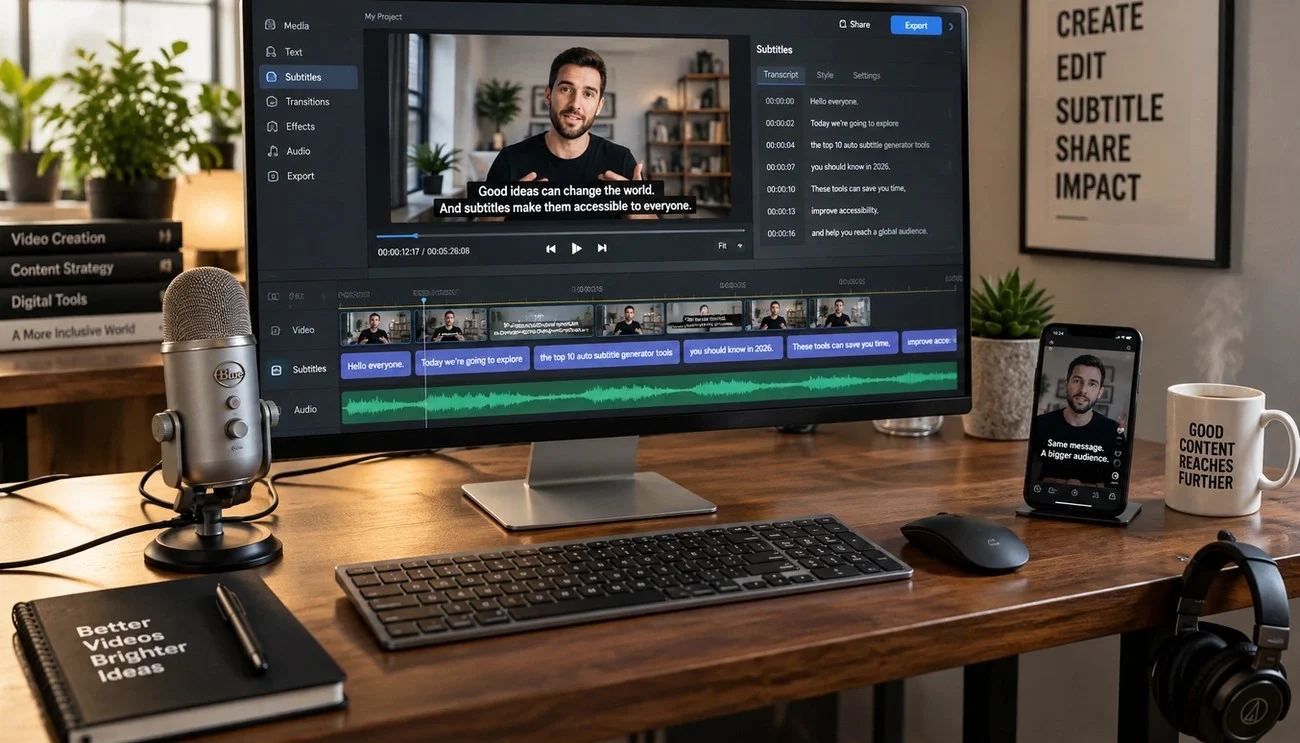
The best caption generator platforms provide waveform displays for precise timing adjustments. You can drag clip edges to shorten or extend duration. Word-level timestamps enable clicking on text to fix errors or adjust timing. Advanced editors include AI assistants that fix errors, adjust reading speed and change tone without manual rewriting. The less accurate the first draft, the more you’ll rely on these editing tools – so editing speed and draft accuracy should be weighed together.
Export Options and Platform Compatibility
SRT and VTT files work across nearly every platform, from YouTube to professional editing software. Broadcast content requires specialized formats like SCC (Scenarist Closed Caption) for CEA-608 compliance or EBU-STL for European standards. Better subtitle generator tools support multiple export formats including TXT, DOCX, PDF and JSON, enabling flexible workflows across different publishing requirements.
Maestra - Best AI Subtitle Generator for Translation

Maestra processes video and audio files into text, then translates that output into 125+ languages from a single editor. The platform handles transcription, subtitle generation and translation as connected steps rather than separate tools. This proves useful when you localize content for international audiences.
Key Features
Maestra claims 99% transcription accuracy in its supported languages. Speaker detection tags different voices without manual input, which helps with interviews and panel discussions. Real-time captioning integrates with Zoom, Microsoft Teams, OBS and vMix for live events and webinars.
Translation maintains original timing while adapting text for context. You upload a video, generate captions in the source language, then translate them into multiple target languages within the same workspace. Each translation exports as a separate subtitle track or combined in one multi-language file.
Export options include SRT, VTT, SCC, STL, CAP, TXT, TTML and SBV formats. The editor allows adjustment of font, color, size, position and background for burned-in subtitles. API access appears on the Premium tier and above for workflow automation.
Pros and Cons
Pros:
- Supports 125+ languages from a single editor
- Context-aware machine translation aims to preserve meaning rather than literal word-for-word conversion
- Real-time captioning works with major platforms (Zoom, Teams, OBS, vMix)
- Custom dictionary reduces cleanup time for specialized terminology
Cons:
- Credit system splits between transcription, subtitles and dubbing products with different allowances
- Team collaboration and API locked behind Premium tier (USD 79/month minimum)
- Translation is AI-driven, and the translation engine (OpenAI or DeepL) varies by plan – high-stakes content still needs careful review
| Plan | Monthly Cost | Minutes Included | Key Features |
|---|---|---|---|
| Pay As You Go | USD 12.00 | 60 mins subtitles or 30 mins translated | No subscription required |
| Basic | USD 39.00 | 360 mins or 180 translated | AI summary, custom dictionary |
| Premium | USD 79.00 | 900 mins or 450 translated | API access, 1 team seat, OpenAI translation |
| Business | USD 159.00 | 1,800 mins or 900 translated | DeepL translation, 2 team seats |
| Enterprise | Custom | Custom volume | Live event captioning, custom development |
Annual billing saves 20% on all paid tiers.
Best For
Content creators and marketing teams distributing video in multiple regions benefit from Maestra’s translation workflow. Podcasters localizing episodes, course creators adding multilingual subtitles and organizations running international webinars fit the platform’s strengths. Teams needing live captioning for events with built-in platform integrations will also find the real-time features valuable.
CapCut - Best Free AI Caption Generator for Social Media

CapCut’s core video editor is free, but its auto-caption feature now sits behind a paid subscription, ending the free access that made it popular among social media creators. ByteDance built this ai video subtitle generator with close ties to TikTok, and the platform offers template-based workflows designed for short-form content.
Key Features
The platform uses speech recognition AI to transcribe audio with reasonable accuracy for English. Bilingual caption support displays text in two languages at once, useful for multilingual audiences. The system identifies and removes filler words like “um” and “uh” to produce cleaner transcripts.
Customization options include font styles, colors and positioning. The template library updates with trending formats that sync timing and transitions when you drop clips into pre-built layouts. Desktop and mobile versions offer different styling options, and SRT file export is limited to the desktop app on paid plans.
Pros and Cons
Pros:
- Template library syncs with TikTok and Reels trends for viral-style edits
- TikTok integration simplifies the publishing workflow
- 7-day free trial tests Pro features before commitment (new users, select regions)
- Filler word removal reduces manual cleanup time
Cons:
- Auto-captions require a paid plan and are no longer included in the free version
- CapCut doesn’t publish a single global price list – costs vary by region and app store
- Styling options differ between mobile and desktop apps
- Caption regeneration required if you make timeline changes
| Plan | Monthly Cost (approx.) | Annual Cost (approx.) | Key Features |
|---|---|---|---|
| Free | USD 0.00 | USD 0.00 | Simple editing, limited AI tools |
| Standard | ~USD 9.99 | Varies by region | Auto-captions, watermark-free, premium templates |
| Pro | ~USD 19.99 | ~USD 179.99 | 4K export, full AI toolkit, cloud storage |
Pricing varies by region and platform. Figures reflect third-party reporting after CapCut’s early-2026 price changes.
Best For
Social media creators who produce TikTok videos, Instagram Reels and YouTube Shorts benefit from CapCut’s trend-focused templates and platform integration. The Standard tier works for casual creators who need watermark-free exports with auto-captions. Pro suits creators who require 4K output and advanced AI tools like background removal and motion tracking.
Descript - Best Subtitle Creation Software for Podcasters

Descript treats video editing as document editing and lets you cut, rearrange and polish content by modifying a transcript instead of manipulating timelines. Podcasters edit by deleting words from text, and the platform removes those moments from the audio automatically. This subtitle creation software transcribes in 25 languages and works especially well for spoken-word content.
Key Features
Text-based editing links every word in your transcript to its corresponding audio segment. Delete a sentence and that audio disappears. Move a paragraph and the clip relocates. The platform transcribes uploads right away and then lets you refine captions within the same interface where you edit media.
Filler word removal identifies and eliminates “um,” “uh” and similar verbal pauses from both transcript and audio with one click. Studio Sound removes background noise and echo while enhancing speech clarity. Underlord, the AI co-editor, handles first-pass edits based on text prompts.
AI voice features let you fix misspoken words without re-recording. On the Business plan, translation and AI dubbing cover 30+ languages. Export options include SRT and VTT files or burned-in captions for social platforms.
Pros and Cons
Pros:
- Transcript-based editing speeds up podcast and talking-head editing considerably
- Studio Sound improves poor-quality audio without re-recording
- Auto-synced captions stay aligned even after timeline changes
- AI voice tools fix errors without studio sessions
Cons:
- Processing slows with large multi-track projects
- Timeline-based editors feel more natural for cinematic content
- Free plan’s 1 media hour monthly proves insufficient for regular production
- Transcription accuracy requires manual review for technical terms and names
| Plan | Price (billed annually) | Media Hours | Export Quality | AI Features |
|---|---|---|---|---|
| Free | USD 0.00 | 1/month | 720p, watermarked | Limited AI tools |
| Hobbyist | USD 16.00/month | 10/month | 1080p | Studio Sound, filler removal |
| Creator | USD 24.00/month | 30/month | 4K | Full Underlord access, AI voices |
| Business | USD 50.00/month | 40/month | 4K | Translation and dubbing (30+ languages), brand tools, priority support |
Monthly billing costs more: USD 24, 35 and 65 per month for Hobbyist, Creator and Business respectively.
Best For
Podcasters producing interview shows or solo episodes benefit most from transcript-based editing and filler word removal. YouTube creators making talking-head content, course builders editing educational modules and marketing teams repurposing webinars into clips fit Descript’s strengths. Teams needing shared review workflows with brand assets should look at the Business tier.
Verbit - Best AI Subtitle Generator for Maximum Accuracy

Verbit is a voice AI platform built for organizations where accuracy isn’t optional – media companies, broadcasters, universities, government agencies, legal teams, and enterprises. Its Captivate™ AI engine targets up to 99% accuracy, with the option to add professional human review for content where mistakes carry real consequences. Instead of forcing a choice between speed and precision, Verbit lets you decide per project – so you’re not stuck spending hours correcting a free tool’s output before you can publish.
Key Features
Verbit handles both sides of the captions-vs-subtitles equation. Captions are generated in the same language as your original audio, with speaker identification, for live and recorded content, including real-time captioning for broadcasts, livestreams, meetings, and virtual events, plus CART for live audiences. When you need to reach viewers in other languages, Verbit translates those captions into subtitles in 28+ languages, including Spanish, Arabic, Hebrew, French, Japanese, German, and Mandarin.
Translation is where Verbit’s flexibility stands out. AI translation delivers fast, reliable multilingual subtitles for everyday content like webinars, training videos and internal communications. For high-stakes material – broadcasts, marketing campaigns, legal or regulated content – experienced professional translators ensure precision and capture the nuances of language. You choose the approach that fits each use case and budget, all in the same platform.
Captions and subtitles download in formats like TXT, SRT and VTT, with broadcast formats including SCC and SAMI for media workflows. Verbit offers 20+ integrations, including Zoom, Microsoft Teams, YouTube, Vimeo, Kaltura, Canvas, Brightcove, Dropbox and Google Drive. Beyond captions and subtitles, the same platform provides AI and human dubbing and audio description, and supports compliance with ADA, WCAG, FCC and Ofcom standards.
Pros and Cons
Pros:
- Up to 99% targeted accuracy, with optional human review for critical content
- Flexible translation: choose AI translation for speed and budget or professional translators for nuance and precision
- Live and recorded captioning, subtitles, dubbing and audio description in one platform
- Enterprise-grade security (SOC 2 Type II) and 24/7 support
Cons:
- Professional human services and enterprise plans are priced through sales rather than published online
- Supports fewer translation languages (28+) than some AI-only tools, with a focus on quality over sheer language count
- Creators looking for animated, social-style caption templates may prefer design-focused tools like Submagic or VEED
| Plan | Monthly Cost | Hours Included | Key Features |
|---|---|---|---|
| Standard (Media, Corporate, Education) | Starting at USD 24.00 | 100 hours/month | AI captioning, transcription and translation (28+ languages), AI insights, 1 user |
| Campus Complete (Education) | Custom | Unlimited hours | Unlimited AI solutions, translation, ADA Title II compliance support |
| Custom (Media, Corporate, Legal) | Contact sales | Tailored usage | Full product suite, custom integrations, API access, enterprise security |
Professional translation, human-verified captions and live captioning are available on custom plans – book a demo to scope your needs.
Best For
Media companies, universities, government agencies, legal teams, and enterprises that can’t afford caption or subtitle errors benefit most from Verbit’s accuracy-first approach. Teams localizing content across multiple markets get the flexibility to use AI translation for high-volume everyday content and professional translation where precision matters most. Organizations with accessibility compliance obligations, such as ADA Title II deadlines, gain confidence that their captions meet the standard.
VEED.io - Best Free Subtitle Generator with Animations

VEED operates entirely in-browser and generates animated subtitles that highlight keywords as speech progresses. This free subtitle generator for social content supports animation styles like Box Highlight, Karaoke, Impact Pop, Color Highlight and Reveal. These are optimized for vertical video formats on TikTok, Instagram Reels and YouTube Shorts.
Key Features
VEED claims up to 99.9% transcription accuracy in 125+ languages and flags low-confidence words for quick review. Dynamic subtitles use AI to identify important words and emphasize them, making them pop, pulse or glide in sync with audio.
Full customization controls adjust font, color, size and alignment. Translation generates multilingual subtitle tracks within the same workspace.
Export options include SRT, VTT and TXT files on paid plans. You can also burn hardcoded subtitles into video. The Subtitles API starts at USD 0.10/min, with higher rates for dynamic styles, high-resolution video and translation.
Pros and Cons
Pros:
- Free plan available to test with simple editing tools
- Animation presets require no manual keyframing or timing adjustments
- Low-confidence flagging speeds error correction
- 125+ language support
Cons:
- Free exports include watermark and cap at 720p resolution
- Subtitle file downloads (SRT, VTT) locked to paid tiers
- 10-minute maximum video length on free plan
| Plan | Monthly Cost | Annual Cost | Export Quality | Watermark |
|---|---|---|---|---|
| Free | USD 0.00 | USD 0.00 | 720p | Yes |
| Lite | USD 19.00 | USD 12.00/month | 1080p | No |
| Pro | USD 49.00 | USD 24.00/month | 4K | No |
Best For
Social media creators producing short-form content for TikTok and Reels benefit from animated subtitle presets and vertical video optimization. Marketing teams needing branded caption styles for multiple videos fit VEED’s template system. The free tier works to test workflows, while Lite suits creators requiring watermark-free 1080p exports with full subtitle styling.
YouTube Studio - Best AI YouTube Video Subtitle Generator

Every YouTube channel has this ai youtube video subtitle generator built in at no cost. Machine learning processes uploads and converts speech to text in 75+ languages, including Afrikaans, Arabic, Chinese, French, German, Hindi, Japanese, Korean, Portuguese, Russian, Spanish and Vietnamese. English captions support expressive formatting that displays speech intensity in capitals and environmental sounds like sighs or gasps.
Key Features
Automatic generation starts once video processing completes, with timing depending on audio complexity. The editor allows transcript correction, timing adjustment and republishing. The Subtitle Editor role enables team collaboration without granting access to channel analytics or revenue data. Live streams receive automatic English captions, though these differ from post-stream VOD captions. The “Don’t show potentially inappropriate words” filter replaces flagged terms with brackets.
Pros and Cons
Pros: Free to all creators, supports 75+ languages, fits smoothly into the YouTube workflow, allows manual editing and timing adjustments.
Cons: Accuracy varies widely with audio quality – one university media center estimated YouTube auto-captions typically provide about 60-70% accuracy. Publication quality requires manual review, and the system struggles with overlapping speakers or poor audio. Live captions work in English only. Auto-captions are same-language only – subtitles in other languages require separate translation.
| Plan | Cost | Languages | Features |
|---|---|---|---|
| Built-in | USD 0.00 | 75+ | Auto-generation, manual editing, collaboration roles |
Best For
YouTube creators who publish content regularly benefit from zero-cost automated transcription. Channels with clear single-speaker audio achieve better results than multi-speaker content with background noise. Budget time for review before relying on auto-captions for accessibility.
Happy Scribe - Best AI SRT Generator for Professional Use

HappyScribe’s ai srt generator separates itself through SOC 2 Type 2 certification and GDPR compliance, which makes it suitable for organizations handling sensitive content. The platform supports both captions (same-language transcription) and subtitles (translated text), with AI processing in 150+ languages and human services covering 65+ languages.
Key Feature
AI transcription typically reaches 85-95% accuracy depending on audio, while human proofreading targets 99%+ accuracy. The subtitle editor manages CPS (characters per second) and CPL (characters per line) to meet broadcast standards. Speaker diarization labels multiple voices, and the interactive timeline adjusts timing on video preview.
Export formats include SRT, VTT, STL, XML, FCPXML and EDL on Pro plans and above. Mobile apps for iOS and Android support offline recording. API integration makes workflow automation possible. Custom glossaries and style guides maintain terminology consistency across projects.
Pros and Cons
Pros: Enterprise security (SOC 2, GDPR), 150+ language AI support, human proofreading option, broadcast-standard formatting
Cons: AI accuracy drops with noise or accents, human proofreading adds roughly USD 120/hour of media, credits don’t roll over on monthly plans
| Plan | Monthly | Annual | Minutes/Month |
|---|---|---|---|
| Free | USD 0.00 | - | 10-min trial |
| Basic | USD 17.00 | USD 8.50/month | 120 |
| Pro | USD 29.00 | USD 19.00/month | 600 |
| Business | USD 89.00 | USD 59.00/month | 6,000 |
Human proofreading starts at USD 2.00/min.
Best For
Legal teams, academic researchers and broadcast professionals requiring compliance-certified transcription benefit from HappyScribe’s security infrastructure and human verification option.
Submagic - Best AI Caption Generator for Vertical Video

Submagic specializes in short-form vertical content and optimizes captions for 9:16 TikTok, Instagram Reels and YouTube Shorts formats. This ai caption generator for vertical video claims 99% transcription accuracy in 123 languages. It then applies animated styles that highlight, bounce and fade word-by-word in sync with speech.
Key Features
The platform generates captions in multiple languages with 35+ animation templates. Magic Clips identifies engaging moments from long videos and converts them into short clips. B-roll insertion and auto-zoom effects happen without manual work. The system removes silences and filler words. Brand Kit maintains consistent fonts, colors and logos across all videos.
Platform-ready exports fit TikTok and Instagram Reels (9:16), YouTube (16:9) and LinkedIn (1:1) without re-cropping. SRT, VTT and TXT file downloads support external workflows. API access makes workflow automation possible.
Pros and Cons
Pros: 99% caption accuracy claimed, 35+ animated templates, platform-specific safe-zone placement, one-click features reduce editing time
Cons: Browser-based only with no native desktop or mobile app, best suited for talking-head content, limited multi-layer editing
| Plan | Monthly | Annual | Videos/Month |
|---|---|---|---|
| Free trial | USD 0.00 | - | 3 (watermarked) |
| Starter | USD 19.00 | USD 12.00/month | 15 |
| Pro | USD 39.00 | USD 23.00/month | 40 |
| Business | USD 69.00 | USD 41.00/month | 100 |
Best For
Creators producing TikTok, Reels and Shorts benefit from vertical-optimized workflows and animated caption presets.
Kapwing - Best Subtitle Generator for Team Collaboration

Kapwing functions as a browser-based workspace where teams edit videos at the same time, resembling Google Docs but for video projects. This subtitle generator for collaborative workflows generates auto-captions in seconds for short clips and within a couple of minutes for short-form videos.
Key Features
Multiple team members can work on projects at the same time with instant visibility of changes through real-time co-editing. The platform detects multiple speakers and separates them into individual subtitle sections for independent editing. Brand Kit stores preferred colors, fonts and subtitle styles in one place, ensuring every team video maintains consistent branding.
Translation generates subtitles in 100+ languages including Spanish, French and Hindi. The built-in editor adjusts timing and customizes font, color, size, background and placement with 100+ preset styles. Export formats include SRT, VTT and TXT files. Full closed caption creation supports non-spoken audio, speaker labels and accessibility features aligned with requirements like the European Accessibility Act.
Pros and Cons
Pros: Real-time collaboration with frame-accurate commenting, Brand Kit maintains consistency, processes captions quickly, translation in 100+ languages
Cons: Free accounts limited to 10 minutes of subtitles, browser-dependent with no offline capability, can slow with larger files
| Plan | Monthly Cost | Annual Cost | Auto-Subtitling | Watermark |
|---|---|---|---|---|
| Free | USD 0.00 | USD 0.00 | 10 mins | Yes |
| Pro | USD 24.00 | USD 16.00/month | 1,000 mins | No |
| Business | USD 64.00 | USD 50.00/month | 4,000 mins | No |
Best For
Marketing teams producing branded video campaigns, remote content teams requiring simultaneous editing and organizations needing consistent subtitle styling benefit from Kapwing’s collaborative infrastructure.
Subtitle Edit with Whisper - Best Free AI Subtitle Generator Offline

Subtitle Edit is open-source subtitle creation software that runs on your machine, with speech recognition that works without internet connectivity. This free subtitle generator runs OpenAI’s Whisper AI model locally and offers multiple engine options, including Whisper CPP with NVIDIA CUDA and Vulkan GPU backends, Purfview Faster Whisper XXL and WhisperX with word-level alignment.
Key Features
The platform supports over 380 subtitle formats, including SubRip, DFXP and ITT. Version 5, released in 2026, runs cross-platform on Windows, macOS and Linux. Whisper model sizes range from tiny (fastest, least accurate) to large-v3 (best accuracy, slowest), and English-only .en models perform better with English audio. GPU users achieve the fastest transcription with Whisper CPP or Purfview Faster Whisper XXL. The waveform visualizer adjusts timing with precision. The auto-translate window connects to services like Google Translate and DeepL, which require an internet connection.
Pros and Cons
Pros: Free and open-source, local speech recognition keeps audio private, supports 380+ formats, GPU acceleration available
Cons: Initial setup requires technical knowledge, no cloud sync or collaboration, interface less polished than commercial tools, and output accuracy depends entirely on the model you choose and how much time you spend reviewing it
Pricing
Best For
Users who need offline processing for sensitive content, technically comfortable creators on a tight budget and professionals who need complete format flexibility without recurring costs.
Vimeo - Best AI Video Subtitle Generator for Enterprise

Vimeo’s AI video subtitle generator targets organizations requiring SOC 2 Type II and ISO 27001/27701 compliance for training and enterprise video workflows. The platform handles both captions (same-language transcription) and subtitles (translated dialogue in different languages). Content gets processed through browser-based AI without software installation.
Key Features
Auto-captioning supports 99 languages. AI translation generates subtitles in 36+ languages, with dubbing available in 29 languages. Bulk processing translates multiple videos at once from the Library view. AI credits cost 10 per minute per language for subtitles only, or 20 per minute for audio and subtitle translation.
Ask AI lets viewers type questions and jump to specific video moments. Auto-generated chapters and searchable transcripts improve content discovery. Text-based editing removes unwanted sections by deleting transcript words.
Pros and Cons
Pros: Enterprise security certifications, 99-language caption support, bulk translation workflows, API access for automation
Cons: AI credits expire after 30 days on non-Enterprise plans, AI audio and subtitle translation requires an Enterprise plan, Vimeo recommends manual review to ensure accuracy, Enterprise pricing undisclosed
| Plan | Monthly Cost (billed annually) | AI Features | Support |
|---|---|---|---|
| Starter | USD 12 per seat | Basic transcription | |
| Standard | USD 25 per seat | Captions, AI tools | |
| Advanced | USD 75 per seat | Auto chapters, summaries | Priority |
| Enterprise | Custom | AI translation, dubbing, Ask AI, custom dictionary | 24/7 dedicated |
Best For
Enterprises managing training libraries and marketing teams localizing campaigns benefit from Vimeo’s compliance certifications and bulk processing capabilities. Healthcare organizations can access HIPAA-compliant video hosting with a BAA on eligible Enterprise plans.
OpusClip - Best AI Subtitle Generator for Content Repurposing

OpusClip converts long-form videos into short social clips and generates animated captions with over 97% accuracy, according to the company. This AI video subtitle generator analyzes entire recordings, identifies high-potential moments and applies a scoring system that ranks each clip’s potential reach. ClipAnything processes any video genre, including podcasts, interviews, vlogs and sports, by understanding visual, audio and sentiment cues throughout footage.
Key Features
The platform transcribes audio in 20+ languages with automatic caption generation and emoji integration. AI B-roll inserts relevant stock footage or AI-generated visuals based on speech context. Filler word removal eliminates “um” and “uh” without manual editing. The social scheduler publishes clips to YouTube Shorts, TikTok, Instagram Reels, LinkedIn, Facebook and X. Brand templates maintain consistent fonts, colors and logos.
Pros and Cons
Pros: Virality scoring identifies the best clips to post, auto-scheduling across six platforms, processes multiple clips from a single upload.
Cons: Credit system charges per source minute regardless of clip count, free plan watermarks exports and expires clips after 3 days, virality score and scheduler limited to paid plans.
| Plan | Monthly | Annual | Credits/Month | Key Features |
|---|---|---|---|---|
| Free | USD 0.00 | - | 60 | Watermarked, 3-day expiry |
| Starter | USD 15.00 | - | 150 | Watermark-free, virality score |
| Pro | USD 29.00 | USD 14.50/month | 300 | B-roll, scheduler, 2 seats |
| Business | Custom | - | Custom | API access, custom seats, priority processing |
Best For
Podcasters, interview creators and webinar hosts repurposing long recordings into platform-specific shorts benefit from automated clipping with built-in caption styling and cross-platform distribution.
How to Choose the Right AI Subtitle Generator for Your Needs
The best ai subtitle generator for you matches tool capabilities to your workflow requirements rather than chasing feature lists.
Review Your Content Type and Platform
Short-form creators who produce TikTok or Reels content need different tools than podcasters, corporate trainers, or broadcasters. Submagic and VEED lead on animated vertical video styling, while Descript fits long-form podcast workflows. YouTube-only publishers can start with built-in Studio captions. Multi-platform distribution and broadcast work require broader export flexibility.
Think About Accuracy Requirements
Social media posts may tolerate minor errors, but legal videos, medical content, education and broadcast programming require 99%-level accuracy where caption and subtitle mistakes create liability and accessibility gaps. Before choosing a free or AI-only tool, estimate how many hours your team will spend reviewing and correcting its output – at 90% accuracy, that’s roughly 150 fixes for every 10 minutes of speech. Verbit’s AI alone is a strong performer with optional professional review available to suit compliance-grade needs, while generic AI-only tools are likely to be sufficient if you have time to check the subtitles being produced for less critical content.
Review Language Support and Translation Needs
Platforms range from single-language support to 150+ languages. Remember that captions transcribe dialogue in the original language, while subtitles translate content into different languages – so check whether a tool’s language count refers to transcription, translation or both. Maestra and Happy Scribe offer broad AI language coverage. For organizations that need both captions and translated subtitles, Verbit offers AI translation for speed and budget and professional translators for high-stakes content across 28+ languages, giving you the flexibility to match each project to the right level of quality. Book a Verbit demo to see how it fits your workflow.
Check Integration and Workflow Compatibility
Tools that export SRT, VTT and broadcast formats (SCC, TTML, STL) integrate smoothly into existing editing pipelines. Direct integrations with the platforms you already use – Zoom, YouTube, Vimeo, Kaltura or your LMS – remove manual upload and download steps. API access matters for high-volume automation.
Compare Pricing Models and Volume Requirements
Per-minute pricing suits occasional use, while subscriptions provide better value for regular production. Calculate monthly volume before committing to avoid hidden caps and watermarks – and factor in the cost of your team’s review time, not just the subscription price.
AI Video Subtitle Generator Tools Comparison Table
Important Difference: Captions display text in the same language as the audio and include sound effects and speaker labels, while subtitles typically translate content into a different language for viewers who can hear but don’t understand the audio.
| Tool | Best For | Accuracy | Languages Supported | Starting Price | Key Differentiator | Export Formats | Notable Limitation |
|---|---|---|---|---|---|---|---|
| Maestra | Translation | 99% (claimed) | 125+ | USD 12.00 (Pay As You Go) | Context-aware AI translation with real-time captioning for Zoom, Teams, OBS, vMix | SRT, VTT, SCC, STL, CAP, TXT, TTML, SBV | Team collaboration locked behind Premium tier (USD 79/month) |
| CapCut | Social Media | Not specified | Multiple (English optimized) | ~USD 9.99/month (Standard; varies by region) | Template library syncs with TikTok trends, direct platform integration | SRT (desktop, paid only) | Auto-captions require a paid plan |
| Descript | Podcasters | Not specified | 25 (transcription), 30+ (translation, Business plan) | USD 0.00 (Free - 1 hour/month) | Text-based editing, Studio Sound, AI voices | SRT, VTT, burned-in | Processing slows with large multi-track projects |
| Verbit | Maximum Accuracy | Up to 99% targeted (AI + optional human review) | 28+ (translation) | USD 24/month (Standard - 100 hours) | Choice of AI or professional translation per project; live and recorded captioning | TXT, SRT, VTT, SCC, SAMI | Professional services priced through sales |
| VEED.io | Free with Animations | Up to 99.9% (claimed) | 125+ | USD 0.00 (Free) | Animated subtitle styles (Box Highlight, Karaoke, Impact Pop, etc.) | SRT, VTT, TXT (paid plans only) | Free exports watermarked, 720p max, 10-min limit |
| YouTube Studio | YouTube Videos | Varies widely (60-70% estimated) | 75+ | USD 0.00 (Built-in) | Native YouTube integration, free | Built-in to platform | Requires manual review for accuracy |
| Happy Scribe | Professional Use | AI: 85-95%, Human: 99%+ | AI: 150+, Human: 65+ | USD 0.00 (Free - 10 min trial) | SOC 2 Type 2 and GDPR compliance | SRT, VTT, STL, XML, FCPXML, EDL | Credits don't roll over on monthly plans |
| Submagic | Vertical Video | 99% (claimed) | 123 | USD 19.00/month (Starter) | 35+ animated templates optimized for 9:16 format | SRT, VTT, TXT | Browser-based only, best for talking-head content |
| Kapwing | Team Collaboration | Not specified | 100+ | USD 0.00 (Free - 10 min subtitles) | Real-time co-editing with Brand Kit for consistency | SRT, VTT, TXT | Free accounts limited to 10 minutes of subtitles |
| Subtitle Edit + Whisper | Offline Use | Varies by model | Multiple | USD 0.00 (Free - unlimited) | Offline speech recognition, open-source, 380+ formats | 380+ formats including SubRip, DFXP, ITT | Initial setup requires technical knowledge |
| Vimeo | Enterprise | Not specified | Captions: 99, Subtitles: 36+ | USD 12/month (Starter, annual) | SOC 2, ISO 27001/27701 compliance, bulk translation | Platform-integrated | AI translation requires Enterprise; credits expire after 30 days (non-Enterprise) |
| OpusClip | Content Repurposing | 97%+ (claimed) | 20+ | USD 0.00 (Free - 60 credits) | Virality scoring, auto-clips from long videos, social scheduler | Platform-specific exports | Free plan watermarks exports, 3-day clip expiry |
Pricing Summary
| Tool | Free Plan | Entry Paid Plan | Mid-Tier Plan | Enterprise/Top Tier |
|---|---|---|---|---|
| Maestra | Pay As You Go: USD 12 | Basic: USD 39/month | Premium: USD 79/month | Custom |
| CapCut | USD 0 (no auto-captions) | Standard: ~USD 9.99/month | Pro: ~USD 19.99/month | N/A |
| Descript | USD 0 (1 hour/month) | Hobbyist: USD 16/month | Creator: USD 24/month | Business: USD 50/month |
| Verbit | Demo available | Standard: from USD 24/month | Campus Complete (education): Custom | Custom |
| VEED.io | USD 0 (watermarked) | Lite: USD 19/month | Pro: USD 49/month | N/A |
| YouTube Studio | USD 0 (unlimited) | N/A | N/A | N/A |
| Happy Scribe | USD 0 (10 min trial) | Basic: USD 17/month | Pro: USD 29/month | Business: USD 89/month |
| Submagic | Free trial (3 videos, watermarked) | Starter: USD 19/month | Pro: USD 39/month | Business: USD 69/month |
| Kapwing | USD 0 (10 min subtitles) | Pro: USD 24/month | Business: USD 64/month | N/A |
| Subtitle Edit + Whisper | USD 0 (unlimited) | N/A | N/A | N/A |
| Vimeo | N/A | Starter: USD 12/month | Advanced: USD 75/month | Custom |
| OpusClip | USD 0 (60 credits) | Starter: USD 15/month | Pro: USD 29/month | Custom |
Note: Prices shown are monthly rates unless noted; annual billing offers savings on most platforms. Prices checked September 2026 and subject to change.
Key Takeaways on Subtitle Generators
The right subtitle tool depends on your specific workflow requirements. Each platform on this list serves different needs, from quick social media clips to enterprise-grade compliance projects. Remember that captions display dialogue in the same language as your audio, while subtitles translate content into different languages for international audiences – so be clear on which you need before you compare tools.
Free generators are a reasonable starting point for casual content, but be wary of the hidden cost: every error they make is one you have to find and fix, and those errors multiply when you translate. When accuracy matters, Verbit’s platform delivers captions with up to 99% targeted accuracy and subtitles in 28+ languages, with the flexibility to choose AI translation or professional translators depending on your use case and budget – saving your team significant review time and giving you peace of mind. Test accuracy on your actual content first, then choose based on your volume, language requirements and budget.
FAQs on Subtitle Generation
Q1. What's the difference between captions and subtitles?
Captions display text in the same language as the original audio and typically include sound effects, speaker labels and non-verbal cues like [music playing] or [applause], making video accessible to viewers who are Deaf or have hearing loss or watching without sound. Subtitles typically display a translation in a different language for viewers who can hear the audio but don’t understand the original language. SDH (subtitles for the Deaf and hard of hearing) combine both approaches.
Q2. Are free AI subtitle generators accurate enough?
For casual social content, it’s better to have subtitles than to not offer them. Yet free tools can produce frequent errors with background noise, accents, multiple speakers, names, and technical terms. Also if you are unfamiliar with the language you’re translating your content into, it can be pretty impossible to check that the subtitles are correct. Even at 90% accuracy, a 10-minute video can contain around 150 errors to correct. For accessibility compliance, professional content or anything you plan to translate, a platform with higher accuracy and optional human review – like Verbit – can save significant editing time.
Q3. How accurate are AI-generated subtitles compared to human transcription?
AI subtitle generators typically achieve 85% accuracy under good conditions with clear audio, while services that add professional human review can reach 99%+ accuracy. The accuracy of AI tools depends heavily on audio quality, background noise, accents and the number of speakers. For critical projects and high visibility content like legal content, education, or broadcast media, using a domain-trained AI or professional review for captions, subtitles, and translation is recommended.
Q4. Should I use AI translation or professional translation for subtitles?
It depends on the use case and budget. AI translation is fast and cost-effective for high-volume, lower-risk content like internal training, webinars and social clips. Professional translation is the better choice for marketing campaigns, broadcasts, legal or regulated content and anything where nuance and cultural accuracy matter. Platforms like Verbit offer both, so you can match each project to the right approach.
Q5. Can I use AI subtitle generators offline without an internet connection?
Yes, some tools like Subtitle Edit with OpenAI’s Whisper model can generate captions completely offline on your local machine. These open-source solutions process audio on your computer without requiring internet connectivity, making them useful for sensitive content or situations where privacy is a concern – though they require more technical setup and manual review.
Q6. How do I fix subtitles that are out of sync with my video?
Subtitle timing issues often occur when the subtitle file was created for a different version of the video (like theatrical vs. extended edition) or when there are different intro lengths. You can use subtitle editing software like Subtitle Edit to adjust timing manually, or some AI tools can automatically synchronize subtitles by analyzing the audio waveform and matching it to the text.