

Attorneys and litigation teams across employment defense, insurance defense, commercial litigation, and personal injury practices using depositions, arbitrations, or investigations.
Key Takeaways
This FAQ covers Legal Visor, Verbit’s real-time deposition intelligence software that transcribes testimony live, flags admissions and inconsistencies as they happen, and delivers summaries immediately after proceedings end, rather than hours or days later. It also clarifies important boundaries: it’s a reference and intelligence tool, not a certified court transcript, and it’s built to support attorney judgment, not replace it.
AT A GLANCE
- Flags admissions and contradictions live, plus cross-references testimony across multiple depositions
- Runs on ASR trained specifically on legal terminology from 8+ years of proceedings, with custom glossary support
- Built to work alongside attorney judgment, giving litigators a fast reference tool for proceedings prep and strategy
WHO SHOULD READ THIS
Estimated Reading Time
9 minutes
Legal transcription software has evolved significantly with AI capabilities, and Verbit Legal Visor represents the next generation of these tools designed specifically for legal professionals. Legal Visor is Verbit’s real-time deposition intelligence platform, built for litigators who need more than a transcript. Below are answers to the questions attorneys and legal teams ask most, covering how legal transcription software works generally, what makes Legal Visor different, and how it fits into real litigation workflows.
General Information
What is legal transcription software?
Legal transcription software converts spoken legal proceedings, like depositions, hearings, and witness interviews, into accurate, searchable text. Unlike general transcription tools, legal transcription software is built to recognize legal terminology, identify speakers accurately, and produce records formatted for legal use. Modern platforms like Legal Visor go further, adding real-time analysis on top of the transcript itself so attorneys can act on testimony as it happens, not just search it afterward.
How does legal transcription differ from general transcription?
Legal transcription requires a level of precision, confidentiality, and terminology recognition that general transcription tools aren’t built for. Legal proceedings involve specialized vocabulary, formatting requirements for court and case use, and strict handling of privileged, confidential material. That’s why purpose-built legal transcription software, trained specifically on legal language and speech patterns, consistently outperforms general-purpose transcription tools on accuracy and usability for legal teams.
What should attorneys look for in transcription software for lawyers?
The strongest transcription software for lawyers combines accurate, legal-trained speech recognition with security built for privileged material and features that go beyond a static transcript, like real-time flagging, searchable records, and case management integration. Legal Visor is built around this standard: it runs on Verbit’s legal-trained speech technology, Captivate™, and adds real-time admission and inconsistency detection on top of the transcript itself, so attorneys get more than a record of what was said.
What is Legal Visor?
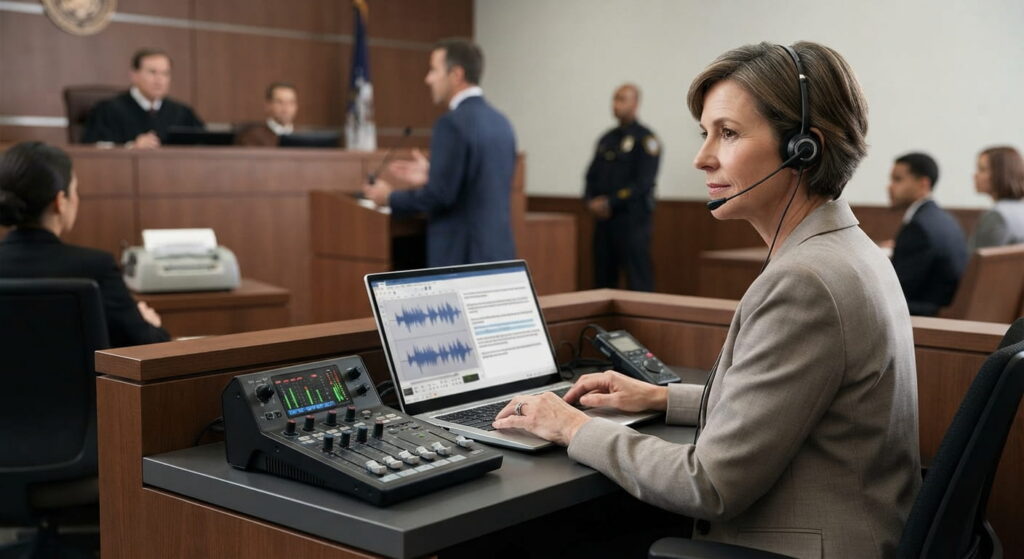
Legal Visor is Verbit’s real-time deposition intelligence software for litigators. It transcribes testimony live, automatically flags admissions and inconsistencies as witnesses speak, tracks outline coverage, and delivers organized summaries immediately after a proceeding ends. It’s built on Verbit’s litigation-grade speech technology, Captivate™, which is trained specifically on legal terminology rather than adapted from general-purpose AI.
How is Legal Visor different from traditional legal transcription software?
Traditional transcription and court reporting deliver a record hours or days after a proceeding ends. Legal Visor works while testimony is happening — surfacing admissions, contradictions, and follow-up opportunities in real time, so attorneys can act before the moment passes rather than discover it during a later transcript review.
As Verbit’s Director of Product Management, Matan Barak, explained in an Artificial Lawyer product walkthrough, generative AI has opened up the ability to not just capture speech but apply insight to it directly inside a customer’s existing workflow — which is the core difference between Legal Visor and standard transcription tools. Watch the full product walkthrough →
Forbes Israel described the effect more simply: Legal Visor acts like a “second chair” in the room — transcribing and flagging in real time while every decision stays with the attorney. Read the Forbes Israel feature →
What are the system requirements for using Legal Visor?
Legal Visor is cloud-based and accessible through any modern web browser — no special hardware or installation required. For best performance, use a stable internet connection and the latest version of your browser.
Does Legal Visor replace my court reporter?
No. Legal Visor works alongside your existing court reporter or deposition process, connecting to audio from Zoom, Teams, or your existing setup to add a real-time intelligence layer. You still receive your official transcript from your court reporter — Legal Visor surfaces what matters most within that testimony as it happens.
Data, Server, and Security
How secure is the data processed through Legal Visor?
Legal Visor uses AES-256 encryption for all data connections and is SOC 2 Type II certified and ISO 27001:2022 certified. It’s also HIPAA compliant, which matters directly for cases involving medical records and testimony. Your case data is never used to train AI models. See full security and compliance details on our Trust page →
How do you authenticate users on Legal Visor?
Legal Visor uses Single Sign-On (SSO) with role-based access control, so only authorized team members can access case materials.
Where are your servers located, and do you offer data localization?
Legal Visor runs on secure cloud infrastructure, with data sovereignty options available for firms with specific geographic or regulatory requirements.
Do you conduct security assessments or penetration testing?
Yes. Verbit undergoes regular third-party security audits and penetration testing to keep Legal Visor’s infrastructure aligned with legal industry security standards.
Functionality
Can I upload case files and documents to Legal Visor?
Yes. Attorneys can upload case documents, prior transcripts, and deposition outlines, and Legal Visor cross-references them against live and recorded testimony to surface names, dates, and inconsistencies automatically.
Does Legal Visor integrate with case management software?
Legal Visor is designed to work inside existing legal workflows, including integrations with case management systems, law firm management software, and video conferencing platforms — including Relativity. (Confirm current integration scope before publishing — see note at top of this doc.)
How does Legal Visor handle legal terminology and jargon?
Legal Visor is built on Captivate™, Verbit’s speech recognition technology trained specifically on legal terminology across 8+ years of legal proceedings. Attorneys can also upload glossaries for case-specific accuracy.
Can Legal Visor analyze depositions or proceedings that already happened?
Yes. Legal Visor works on existing recordings and transcripts, not just live proceedings — surfacing the same organized summaries, flagged admissions, and cross-referenced inconsistencies for post-proceeding review. Try the ROI Calculator to estimate your time savings →
Deposition-Specific Features
How does Legal Visor improve deposition outcomes for attorneys?
Legal Visor flags admissions and inconsistencies as they’re spoken, tracks outline coverage so nothing gets missed, and generates structured summaries within minutes of a session closing — cutting the hours normally spent on manual transcript review after the fact.
Can Legal Visor handle multiple speakers and languages?
Yes. Legal Visor was built for multi-speaker legal proceedings like depositions and supports real-time translation across 28+ languages.
Can Legal Visor search across multiple depositions at once?
Yes. Cross-deposition search lets attorneys find related testimony or contradictions across every proceeding in a matter in a single query — work that previously required days of manual cross-referencing.
How does Legal Visor support examinations under oath (EUOs) and personal injury litigation?
Personal injury and insurance defense teams use Legal Visor to flag inconsistencies live during EUOs and sworn statements, compare current testimony against medical records and prior statements, and generate case summaries immediately after the proceeding — reducing the manual review time that typically slows down high-volume caseloads. Read how Legal Visor supports personal injury litigation →
Who Legal Visor Is Built For
What practice areas does Legal Visor support?
Legal Visor is used across Employment Defense, Insurance Defense, Commercial Litigation, and Plaintiff Litigation. Any practice area that depends on witness credibility, testimony consistency, or reconstructing events across multiple depositions benefits from real-time intelligence rather than after-the-fact transcript review.
Is Legal Visor only for depositions?
No. The same intelligence layer applies to arbitration hearings, internal investigations, regulatory interviews, witness preparation, and EUOs — any proceeding where spoken testimony needs to be captured and analyzed.
Compliance and Legal Considerations
Do I need to notify other parties before using Legal Visor at a deposition?
Yes. As the noticing attorney, you must include the recording method in the deposition notice. Some states also require a stipulation for non-stenographic recordings, so check your state’s specific rules before the proceeding.
Can opposing counsel use Legal Visor during a deposition?
Yes, provided the applicable state-specific rules requiring notice or stipulation are followed.
Is the transcript Legal Visor produces a certified transcript?
No. Legal Visor’s rough transcript is a reference tool for locating and searching testimony — it’s not a substitute for a certified transcript from your court reporter.
Is a recording produced by Legal Visor admissible in court?
In certain states, yes. Admissibility rules vary, so check your state’s code of civil procedure for specifics.
What if a court reporter is already present at the deposition?
You still need the required consent for Legal Visor to record, even with a court reporter present, in accordance with applicable state rules.
Proof From the Field
Do real litigators use Legal Visor, or is this still early-stage?
Legal Visor is already in use at firms including Smith, Gambrell & Russell, an international law firm with nearly 350 attorneys. Partner Todd Heffner uses it across depositions, arbitrations, and hearings in his construction litigation practice. In his words, Legal Visor feels like having an extra associate in the room. Read Todd Heffner’s full story →
(Note: this reflects one firm’s experience, not aggregate customer data — worth keeping the copy specific rather than generalizing to “law firms report…” until there’s a broader data point to cite.)
Support and Troubleshooting
What support is available if something goes wrong during a live deposition?
Verbit offers 24/7 support through live chat and a dedicated help center, plus a dedicated account manager for ongoing questions.
Legal Advice Disclaimer
Can Legal Visor give me legal advice?
No. Legal Visor is a transcription and intelligence tool designed to support attorneys, not replace their judgment. It provides great insights like inconsistency detection, but it doesn’t provide legal advice — for that, consult a qualified attorney. Legal Visor’s own team has been direct about this in press coverage: the tool doesn’t make decisions on a lawyer’s behalf, it surfaces information for the lawyer to act on.
This FAQ is for general informational purposes only and does not constitute legal advice. Users should exercise professional judgment in reviewing AI-generated content and verify accuracy before use in legal proceedings.