



Digital accessibility shapes who can – and who can’t – use your website and engage with your content. For public institutions, including government agencies and public colleges and universities, it’s now a legal requirement under ADA Title II. The Department of Justice’s 2024 final rule makes it clear that websites, mobile apps, and digital platforms must meet WCAG 2.1 Level AA standards, providing a practical roadmap to make digital services accessible to everyone.
Millions of Americans rely on public websites for essential services – from submitting benefits applications to registering for courses or accessing library resources. Without accessible digital content, these services remain out of reach for people with disabilities. By aligning with Web Content Accessibility Guidelines (WCAG) 2.1 Level AA, developed by the World Wide Web Consortium, public institutions can remove these barriers, meet legal obligations, and create more inclusive online experiences.
To understand WCAG guidelines, you must first understand the connection between WCAG and ADA Title II. This article breaks down the technical requirements government entities and educational institutions must meet, explains how the DOJ rule affects different organizations, and outlines practical steps for achieving compliance by the April 2026 and 2027 deadlines. This article will help anyone tasked with accessibility efforts and updating existing programs to meet upcoming obligations.

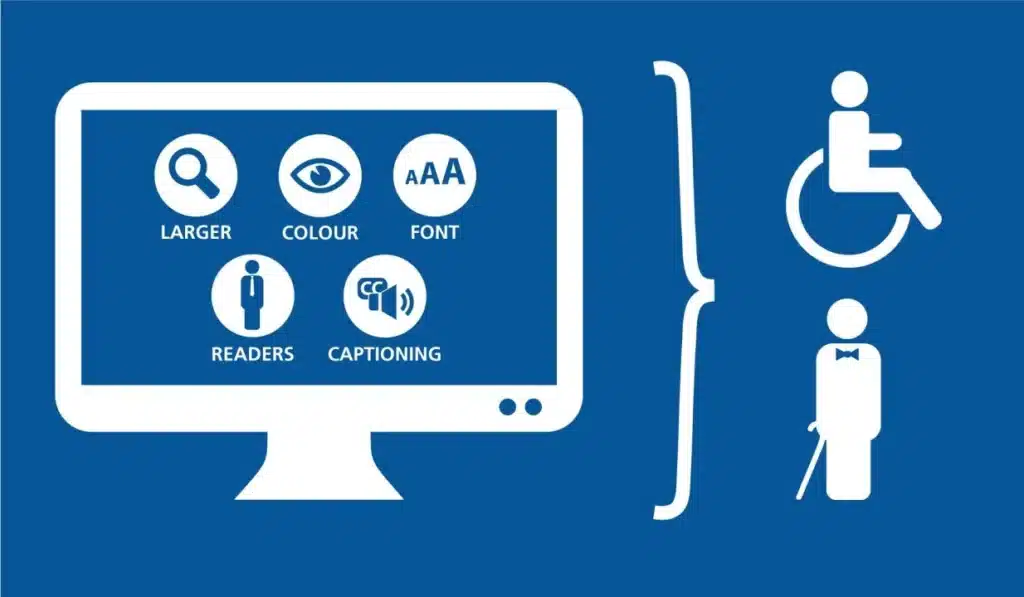
ADA Title II and the Urgency of Web Accessibility: The Legal Foundation
Title II of the Americans with Disabilities Act ensures that public entities do not discriminate against people with disabilities in any of their programs, services, or activities. Traditionally applied to in-person services, this civil rights mandate now extends explicitly to digital platforms, including websites, mobile apps, and online learning systems.
In simple terms:
- ADA Title II = legal obligation: All public services must be accessible.
- WCAG 2.1 = technical standard: Provides measurable criteria to achieve accessibility.
Meeting WCAG 2.1 Level AA is widely recognized as the best way to comply with ADA Title II. It isn’t just about avoiding legal risk – it’s about ensuring that every member of your community can engage fully with your digital services and experiences.
Who Must Comply Under Title II of the ADA
The new DOJ rule applies to public entities, including all state and local governments, regardless of size or federal funding status. The list includes:
- State and local government offices providing benefits and social services
- Public schools, community colleges, and universities
- State and local courts, police departments, and election offices
- Public healthcare facilities and hospitals
- Public libraries and transit agencies
It’s also important to note that even when public institutions contract third-party vendors to provide services, they remain legally responsible for ensuring those services are accessible.
Why the April 2026 Deadline Matters for State and Local Governments & Educational Institutions
The DOJ has set a population-based compliance timeline:
- Entities serving 50,000 or more residents: April 24, 2026
- Smaller governments and special districts: April 26, 2027
These deadlines represent a major shift in accessibility compliance. Institutions can no longer wait for individual accommodation requests – they must proactively ensure accessibility across all digital platforms. The deadlines give organizations limited time to audit existing content, implement changes, and establish ongoing compliance processes.
How WCAG 2.1 Level AA Became the Standard
The Department of Justice previously recognized the Web Content Accessibility Guidelines (WCAG) 2.1, developed by the World Wide Web Consortium (W3C), as a technical framework for digital accessibility.
WCAG 2.1 organizes these requirements around four core principles: Perceivable, Operable, Understandable, and Robust, often abbreviated as POUR. Each principle addresses specific barriers that prevent people with disabilities from accessing digital content.
- Perceivable: Information must be presented in ways users can perceive, such as text alternatives for images.
- Operable: Interfaces must be navigable and functional, including via keyboard-only use.
- Understandable: Content and controls must be clear and predictable.
- Robust: Content must work reliably across devices and assistive technologies.
By following these standards, public institutions can remove barriers for the 70M+ adults in the US reporting a disability, create more inclusive online experiences, and fulfill their obligations under ADA Title II.
Understanding WCAG 2.1 Through POUR Principles

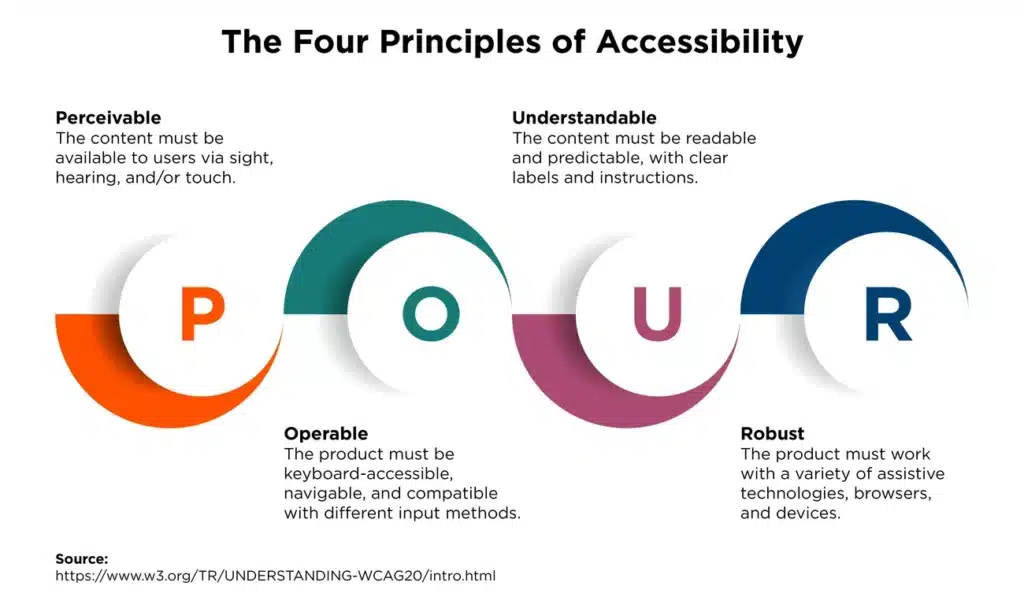
Image Source: Christopher State | Design Engineer
The technical requirements of WCAG 2.1 rest on four principles known as POUR. Here’s a deep-dive into each principle which government entities and public institutions must implement on their web content to meet compliance deadlines.
Perceivable: Making Content Accessible
Perceivable content means everyone can access the information on your site, no matter how they experience it. This includes providing text alternatives for images, videos, and audio so screen readers can describe the content to users who can’t see or hear it. Color contrast is also important — regular text should have at least a 4.5:1 contrast ratio against its background, and larger text needs a 3:1 ratio. Plus, your content should still be readable and usable when users resize text up to 200%, making sure people with low vision don’t lose access to key information.
Operable: Making Navigation Easy for Everyone
Operable means that all website functions should work without a mouse. Many users rely on keyboard or voice navigation to move around a site, so it’s important to avoid “keyboard traps” where someone gets stuck in a section. The principle also protects users with photosensitive epilepsy, by limiting content that flashes more than three times per second. The goal is simple: your website should work for everyone, no matter how they navigate it.
Understandable: Keeping Content Clear & Predictable
Understandable content is easy for users to read and interact with. This means clear labels, helpful error messages, and consistent navigation across pages. Users should always know what actions they’re taking and be able to review or undo critical steps, like submitting forms or making payments. The easier your site is to understand, the more accessible it becomes for everyone.
Robust: Working Across Devices and Tools like Assistive Technologies
Robust content works well with assistive technologies, now and in the future. Following standard coding practices ensures screen readers, voice recognition software, and other adaptive tools can interpret your content correctly. Using clean, semantic HTML helps guarantee your site stays accessible as technology evolves, rather than just working with today’s tools.
How Verbit Helps
Verbit supports these WCAG principles with accurate captions, transcripts, and audio descriptions, helping public institutions and educational organizations meet WCAG 2.1 Level AA requirements for ADA Title II needs. Our solutions, which can also all be enlisted through a simple subscription plan, Campus Complete, help to make multimedia content more accessible to everyone, making it easier for institutions to serve all users effectively.
WCAG 2.1 Level AA Requirements for Web and Mobile
Level AA compliance requires meeting specific technical criteria that affect every aspect of digital design. Government entities and universities must address these requirements systematically to ensure their content functions properly for all users.
Text Alternatives and Alt Text for Images
Every image, video, and audio file needs text alternatives that serve the same purpose as the original content. Images require descriptive alt text that explains their meaning and function — but avoid phrases like “image of” or “picture of” since screen readers already identify these as images. Logos don’t have specific contrast requirements, while decorative images should use empty alt text (alt="") so assistive technologies skip them entirely.
Color Contrast Standards
Text visibility depends on sufficient contrast between text and background colors. Normal text requires a minimum contrast ratio of 4.5:1, while large text (18pt or 14pt bold) needs at least 3:1. These ratios help users with low vision, color blindness, and age-related vision changes read content effectively. Interface components and graphical objects must maintain at least a 3:1 contrast ratio against adjacent colors.
Keyboard Navigation Requirements
All website functionality must work through keyboard commands alone. Focus indicators must be clearly visible — when users navigate with Tab or arrow keys, they need visual confirmation of their current location. Avoid CSS that removes focus outlines (outline: none or outline: 0) without providing alternative visual indicators. Content should never create keyboard traps that prevent users from moving away from a section.
Form Accessibility Standards
Forms need clear, programmatically associated labels for every input field. Use proper HTML markup with matching attributes:
<label for="name">Name</label>
<input id="name" type="text">
Error messages must clearly describe problems and suggest corrections. Group related form controls using <fieldset> with <legend> elements to provide context for screen reader users.
Mobile Interface Accessibility
Mobile applications must support multiple input methods beyond standard touch gestures. Complex multi-finger gestures require simpler alternatives — if your app uses pinch-to-zoom, provide zoom buttons. Touch targets should meet minimum size requirements (44 by 44 CSS pixels recommended). Users need the ability to switch between touch, keyboard, voice, and other input methods based on their capabilities or situational needs.
Status Messages and ARIA Implementation
Dynamic content updates require proper ARIA roles so screen readers can announce changes without moving focus. Status messages like “5 results found” or “Form submitted successfully” need role="status" or similar ARIA attributes. Verbit’s captioning and transcription services help organizations meet these requirements by providing text alternatives for audio content, supporting compliance efforts ahead of the April 2026 deadline.
Exceptions, Equivalent Facilitation, and Compliance Timeline for Title II & WCAG 2.1
April 24, 2026 is coming up quickly for those who are working toward WCAG 2.1 Level AA compliance. This deadline is firm unless a specific exception applies.
The Title II rule includes five limited exceptions where content does not need to conform to WCAG 2.1 Level AA – but entities should be cautious, because ADA requirements still apply in other ways (e.g., upon request).
Archived Web Content Exception
Archived web content receives an exemption when it meets four specific criteria.
Content that qualifies as archived:
- Created before your compliance deadline
- Stored only for reference, research, or recordkeeping
- Located in a designated “archive” section
- Unchanged since being archived
If all these are true, the content is not required to conform to WCAG 2.1 Level AA.
Preexisting Conventional Electronic Documents
Documents like PDFs, Word files, PowerPoints, or spreadsheets posted before your compliance deadline are exempt — unless they are still used to apply for, access, or participate in a service or program (e.g., a live online form or active application).
Content Posted by a Third-Party and Password-Protected Content Rules
Content not controlled by the public entity and posted by an unrelated third party is exempt. This means user‑generated comments or posts on a citizen forum could fall under this exception — but content provided via contracts, licenses, or tools under government control still must be accessible.
Password‑Protected, Individualized Documents
Conventional electronic documents that are about a specific person or account and secured or password‑protected (e.g., a personal utility bill in a locked account portal) are exempt from WCAG Level AA requirements.
Preexisting Social Media Posts
Posts on official public‑entity social media accounts that were published before the compliance deadline are generally exempt.
Important: Even if an exception applies, a public entity may still have obligations under the ADA to provide accessible formats or reasonable modifications upon request.
What is Equivalent Facilitation in WCAG Compliance
The final Title II rule includes a concept called “equivalent facilitation.” This means agencies can use alternative designs, methods, or techniques instead of the precise WCAG 2.1 criteria if they provide “substantially equivalent or greater accessibility and usability,” according to ADA.gov.
In practice:
- You can use an accessibility approach that isn’t literally WCAG 2.1 AA so long as it achieves the same or better outcomes for users with disabilities.
- If challenged, the burden is on the public entity to demonstrate that the alternative approach truly provides equal or greater accessibility. dwt.com
Note: DOJ acknowledges that later versions of WCAG (e.g., WCAG 2.2 or even Level AAA) could satisfy this “equivalent facilitation” test if they offer equal or better results.
Summary of ADA Title II Compliance Exceptions
To sum it up, here’s what’s true and relevant for ADA Title II compliance:
- The April 2026 and April 2027 deadlines for WCAG 2.1 Level AA are current and enforceable.
- There are five defined exceptions where specific content may not need to conform, but entities still carry other ADA obligations.
- Equivalent facilitation gives public entities flexibility if they can demonstrate equivalent or better accessibility outcomes.
How Verbit Campus Complete Helps Support WCAG 2.1 AA Compliance
Verbit Campus Complete is designed to help educational institutions meet their ADA Title II obligations by making digital content accessible to all users. The platform’s captioning and transcription solutions ensure that audio and video materials – one of the biggest accessibility hurdles – comply with WCAG 2.1 Level AA standards.
By providing accurate captions and transcripts for lectures, recordings, and multimedia content, Verbit Campus Complete helps institutions:
- Make video and audio content perceivable for users who are deaf or hard of hearing
- Support operable and understandable experiences by providing searchable and structured text
- Maintain robust compatibility with assistive technologies like screen readers
With Verbit Campus Complete, public colleges and universities can proactively address accessibility, reduce legal risk, and create a more inclusive learning environment in line with Title II requirements.
Conclusion on WCAG & Digital Accessibility
Digital accessibility compliance represents more than a regulatory obligation for universities and government entities – it’s a fundamental shift toward inclusive public service delivery. The Department of Justice’s final rule creates clear expectations: state and local governments and public institutions must ensure their digital content works for everyone, not just those who interact with technology in traditional ways.
The POUR principles provide a practical framework that breaks down complex accessibility concepts into actionable requirements. When websites and applications are perceivable, operable, understandable, and robust, they serve all citizens effectively, regardless of disability status.
Implementation timelines are arriving faster than many organizations anticipate. The population-based deadlines create different urgency levels, but both require systematic planning rather than last-minute remediation efforts.
Tools and services like Verbit’s can accelerate compliance efforts significantly. Verbit’s AI captioning, AI audio description, and transcription technology, for example, address audio and video accessibility requirements that many organizations find challenging to handle internally, ensuring multimedia content meets WCAG standards.
Starting accessibility work now provides time to address issues methodically and build sustainable practices. Organizations that approach WCAG compliance as an opportunity to improve user experience — rather than merely checking regulatory boxes — often discover that accessible design creates better digital services for their entire community.
Reach out today to learn more about our professional AI technology to help with WCAG efforts and ADA Title II requirements.